A synchronized stopwatch that runs on every device in the room
Many devices. One stopwatch.
At a glance
- LapLync is a multi-device stopwatch for iPhone and iPad. One device starts it, every device in the room starts together, and laps and splits show up on all of them.
- It is built for coaches and trainers, event timekeepers and officials, and anyone who needs several people to time from the same starting instant.
- Devices join with a 6-character room code or a QR code, with no account. Nearby devices connect over Bluetooth and Wi-Fi, distant ones over the internet, and each device keeps timing on its own if every connection drops.
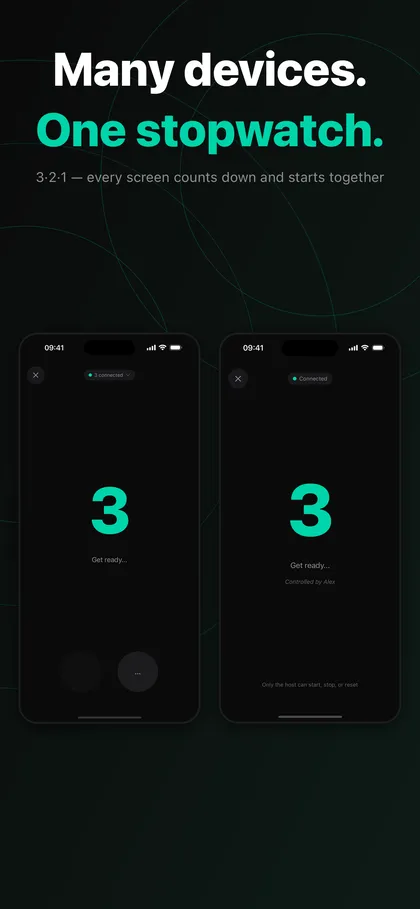
Timing a group with several ordinary stopwatches is unreliable. Someone says go, reaction times differ, and one person cannot touch every device. LapLync replaces that with a shared start: when the host taps Start, a 3-2-1 countdown appears on every screen at the same moment and all stopwatches begin together. Clocks are aligned to Apple's time servers (NTP), and devices typically agree to within a few tens of milliseconds, about 50 ms depending on the network.
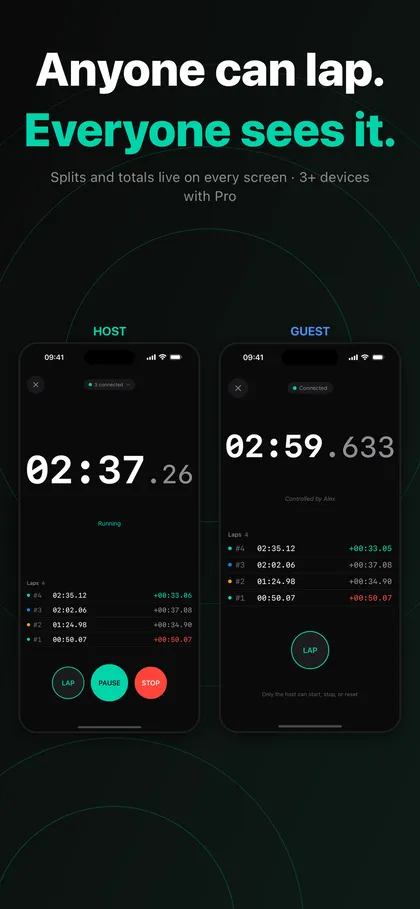
A multi device stopwatch is useful wherever times from different places must be compared. A coach can hand phones to athletes on the sideline, a swim meet can place a device at each timing post, and a relay can record handoffs against one start. Anyone in the room can record a lap, and every lap and split time is visible on every device, so nobody has to copy numbers by hand afterwards.
The same room works whether devices share one Wi-Fi network or each use their own mobile data. LapLync tries Bluetooth and Wi-Fi first when devices are close, switches to an internet relay when they are on different networks, and falls back to independent timing from each device's NTP anchor if everything fails. Recordings merge automatically when the connection returns.
What it does
Synchronized start with a 3-2-1 countdown
The host starts the stopwatch and the countdown lands on every screen at the same time, so whoever taps Start gets no head start. Only the host starts, pauses and stops; participants record laps.
Multi device stopwatch with shared laps and splits
Anyone in the room can record a lap, and laps and split times appear on every device. If you record the wrong lap, tap Undo right after it, or long-press a lap to delete it. The host can delete any lap and participants can delete their own, and deletions sync everywhere.
Nearby, across networks, or offline
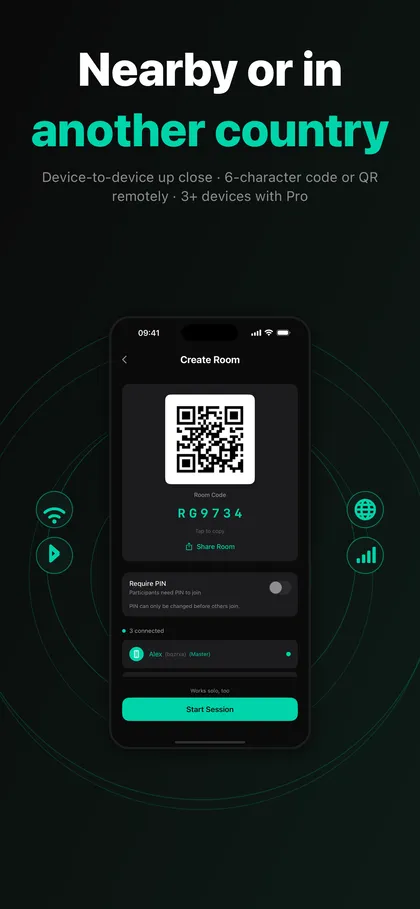
Close devices connect over Bluetooth and Wi-Fi. Devices on different networks, even in different countries, connect over the internet. If all connectivity fails, each device keeps running from its NTP anchor. A short Reconnecting banner appears while the stopwatch keeps running, and you can tap Reconnect to retry.
Record laps without touching the screen
Optional and off by default: use the volume buttons, a Bluetooth shutter remote, or a keyboard or page-turner remote to record laps. A Live Activity shows the running stopwatch on the Lock Screen and in the Dynamic Island, and can be turned off in Settings.
No account, and Pro only for the room creator
Create a room and share the code by voice, chat or QR. Joining any room is always included. Rooms hold two devices without Pro; Pro, a one-time in-app purchase and not a subscription, raises that to eight and adds CSV export and unlimited session history. Only the person who creates the room needs it.
Screenshots
Requirements and details
| Platforms | iPhone, iPad |
|---|---|
| Requires | iOS 17+ |
| Requirements | iPhone and iPad, iOS 17 or later |
| Joining | 6-character room code or QR code, optional PIN, no account |
| Connections | Bluetooth and Wi-Fi nearby, internet relay across networks, independent timing as a fallback |
| Time sync | Apple time servers (NTP), typically within a few tens of milliseconds (about 50 ms) |
| Devices per room | 2 without Pro, up to 8 with Pro (only the room creator needs Pro) |
| Lap triggers | Screen, volume buttons, Bluetooth shutter remote, keyboard or page-turner remote |
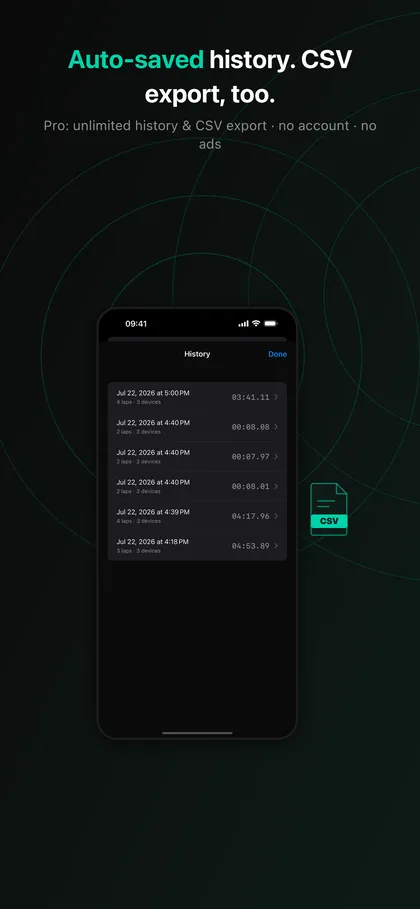
| History and export | 3 most recent sessions saved locally without Pro; unlimited history and CSV export with Pro |
| Privacy | No account, no ads, no location or contacts; device UUID and name used only while a room is active |
Limits, stated honestly
- LapLync runs on iPhone and iPad only. Android and Windows devices cannot join a room.
- The roughly 50 ms agreement between devices is a typical figure, not a guarantee, and it does not replace dedicated timing equipment such as photo-finish systems. The person pressing the lap button still adds reaction delay.
- Without Pro a room you create holds two devices, and only the last three sessions are kept on the device. Rooms of up to eight devices, CSV export and unlimited history need Pro.
- Only the host can start, stop and reset. Participants can record laps and delete their own laps.
- Lap triggers that skip the screen and the Live Activity are optional and must be switched on or off in Settings. Run a short rehearsal with your real devices before an important event.
Frequently asked questions
How do I sync a stopwatch across multiple phones?
Create a room on one device, then let the others join with the 6-character code or by scanning the QR. When the host taps Start, a 3-2-1 countdown shows on every screen and all stopwatches begin together.
Does a multi device stopwatch work over the internet?
Yes. Nearby devices use Bluetooth and Wi-Fi, and devices on different networks connect through an internet relay automatically, even in different cities or countries. If connections fail, each device keeps timing and recordings merge when the connection returns.
How many devices can join one room?
A room you create holds two devices without Pro and up to eight with Pro. Joining a room someone else created is always included, so participants never need to buy anything.
How accurate is it for races and training?
Devices are aligned to Apple's time servers and typically agree to within a few tens of milliseconds, about 50 ms depending on the network. That suits practice, training logs and informal races; for official results use dedicated timing equipment.
Do I need an account, and is there a subscription?
No account, password or email is needed, and there are no ads. Pro is a one-time in-app purchase, not a subscription.
Can I record laps without looking at the phone?
Yes, optionally. Turn on the volume buttons, a Bluetooth shutter remote, or a keyboard or page-turner remote in Settings. It is off by default.