
Interval timer with a pace coach for iPhone and Apple Watch
Run every interval exactly as planned, without looking at the screen.
Languages: Français · English · 한국어
At a glance
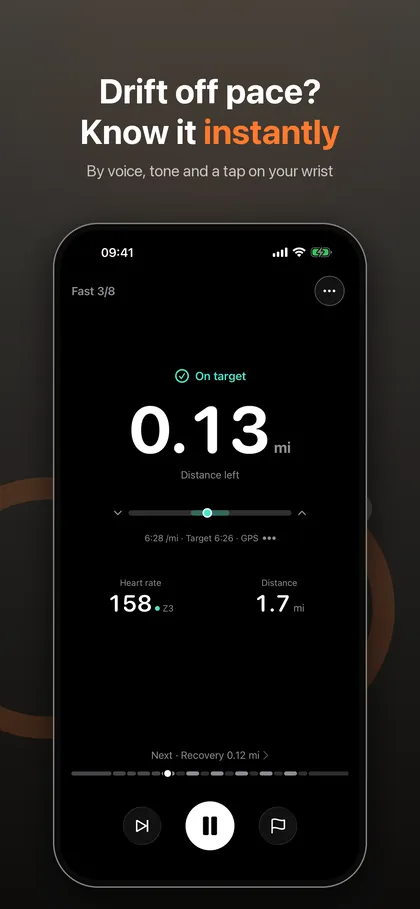
- IntervalRunner is an interval running timer and pace coach for iPhone and Apple Watch. It checks your pace against the target for each step and tells you the moment you drift, by voice, by tone and with a tap on your wrist.
- It is for runners doing track repeats, tempo runs, run-walk intervals or Zone 2 sessions who want to hold their paces without staring at a watch.
- What sets it apart: smoothed pace instead of jumpy GPS, a tolerance band you choose, and different tones and haptics for too fast and too slow.
A plain interval timer beeps when a step ends but cannot tell you whether you ran it at the right pace. IntervalRunner adds that check. Every step, set by time or by distance, carries a target pace or speed, and the app warns you as soon as you leave the band you chose. You know which way to correct before you look at a number.
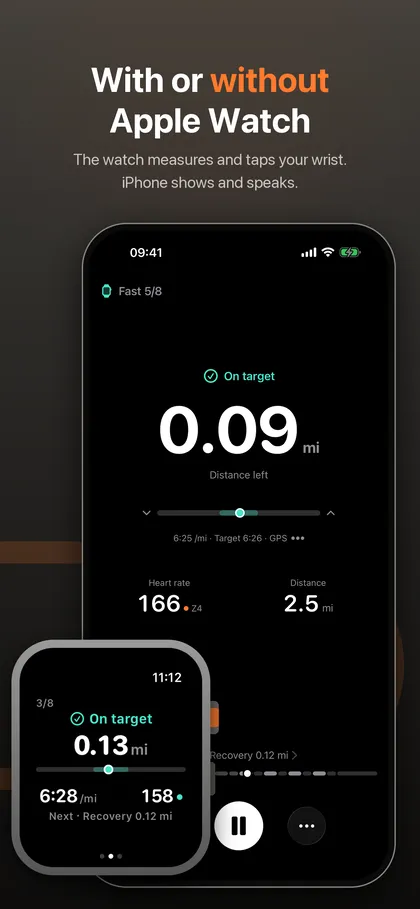
It works for a track session of 400 m or 800 m repeats as well as a 1 minute fast and 1 minute easy workout on a trail. Without a watch, the iPhone measures, displays and speaks. With an Apple Watch, the watch measures and taps your wrist while the iPhone shows the numbers and speaks. Treadmill mode needs no GPS.
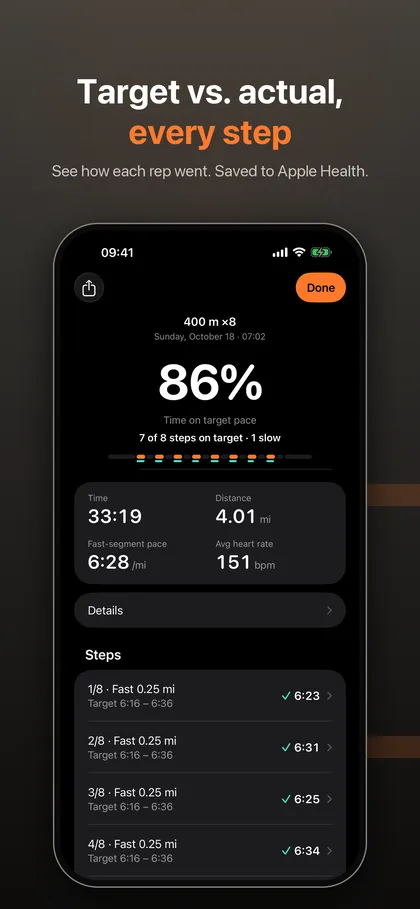
After each run you can compare target and actual for every step, and workouts are saved to Apple Health if you allow it. Share images turn a run into a photo, video or Live Photo with your stats.
What it does
Pace alerts you can trust during interval training
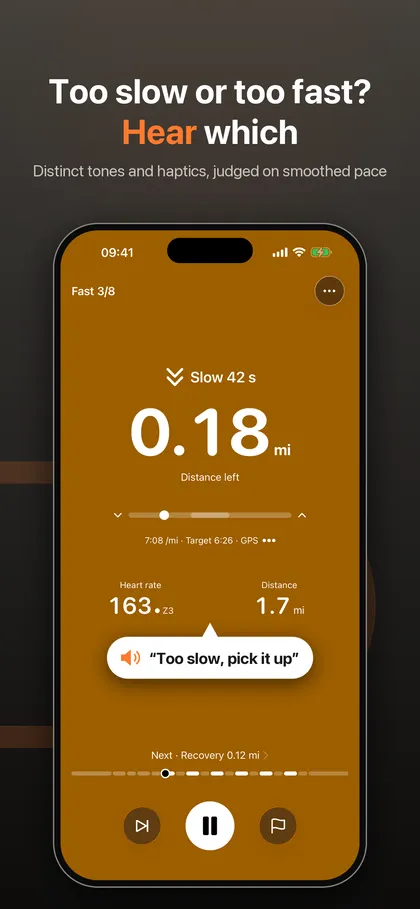
The app judges smoothed pace rather than the raw GPS reading, which jumps around, and you pick the tolerance band. Too fast and too slow sound and feel different, so you hear which way to correct before you read a number.
Voice cues, tones and wrist haptics with the screen locked
Natural AI-generated voice cues lower your music for a moment and keep working with the screen locked. With an Apple Watch you also get haptics on your wrist, so the phone can stay in your pocket.
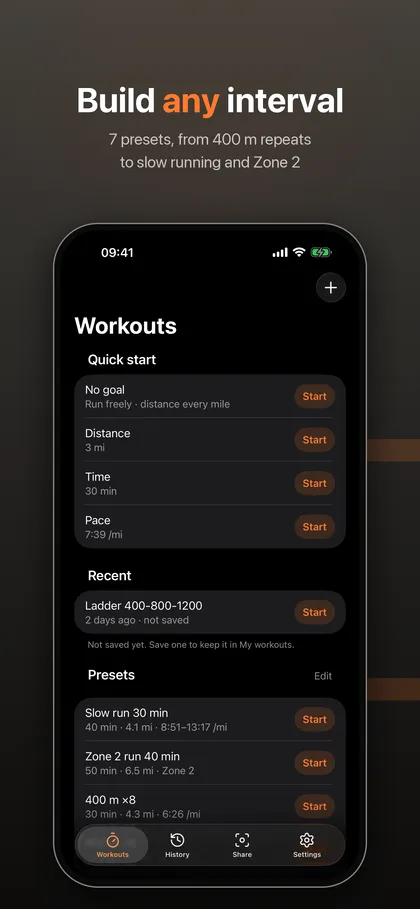
A workout builder by time or distance
Each step is set by time or distance with a target pace or speed. Seven presets are ready to run: walk-run starter, 1 min fast / 1 min easy, 400 m and 800 m repeats, tempo, slow running and Zone 2 (Zone 2 needs Pro). Three count modes let you start when you reach target pace, count only while on target, or count right away.
With or without Apple Watch, or on a treadmill
Run with iPhone alone, with the watch alone, or with both. Treadmill mode needs no GPS: you run on time at the speed set on the machine, then confirm the distance from its display.
Target versus actual, step by step
The summary compares each step with its target. Pro adds detailed step analysis, trends and personal bests, plus heart-rate zone targets and recovery that ends when your heart rate drops.
Screenshots
Requirements and details
| Platforms | iPhone, Apple Watch |
|---|---|
| Requires | iOS 26+ |
| Platforms | iPhone and Apple Watch |
| Requirements | iOS 26 or later; watchOS 10 or later for Apple Watch |
| Steps | By time or distance, with a target pace or speed, km or miles |
| Presets | 7 presets including 400 m and 800 m repeats, tempo, slow running and Zone 2 (Pro) |
| Alerts | AI-generated voice, separate tones for too fast and too slow, wrist haptics |
| Data | Apple Health (if allowed), GPX and JSON export, Live Activity; per-second CSV export with Pro |
| Languages | 12 languages |
| Account | No account and no server of ours; 7-day trial on the yearly Pro plan for eligible new subscribers |
Limits, stated honestly
- It is not a training-plan app: IntervalRunner does not generate multi-week programs or predict race times. It helps you execute the workouts you define.
- Heart-rate features, such as zone targets and recovery that ends when your heart rate drops, need an Apple Watch or a Bluetooth heart-rate monitor and are part of Pro.
- Pace accuracy depends on GPS. Under tree cover or between tall buildings, smoothed pace can react late. Treadmill mode relies on the speed you set on the machine.
- Step analysis, trends, unlimited saved workouts and the ladder, pyramid and Yasso 800 generators are Pro features; without Pro you can save 3 workouts of your own.
Frequently asked questions
How do I set up an interval timer for running?
Pick a preset such as 1 min fast / 1 min easy or 400 m repeats, or build your own steps by time or distance with a target pace. Start the workout and the app counts the steps and warns you if you leave the tolerance band.
Do I need an Apple Watch?
No. You can run with iPhone alone. With an Apple Watch, the watch measures and taps your wrist while the iPhone shows the numbers and speaks. Running with just the watch also works.
Does it work on a treadmill?
Yes. Treadmill mode uses no GPS: you run on time at the speed set on the machine, then confirm the distance from its display.
Can I use heart-rate zones for intervals?
Yes, with Pro. Heart-rate zone targets and recovery that ends when your heart rate drops are Pro features and need an Apple Watch or a Bluetooth heart-rate monitor.
What does Pro add?
Pro adds step analysis, trends and personal bests, heart-rate zone targets, unlimited saved workouts and folders, nested repeats, ladder, pyramid and Yasso 800 generators and per-second CSV export. Running with alerts, presets and all count modes does not require Pro.
Where is my run data stored?
Your runs, routes and health data stay on your devices. There is no account and no server of ours. If you allow it, workouts are saved to Apple Health.