
A synchronized timer that rings on every device at once
One countdown. Every device. One alarm.
At a glance
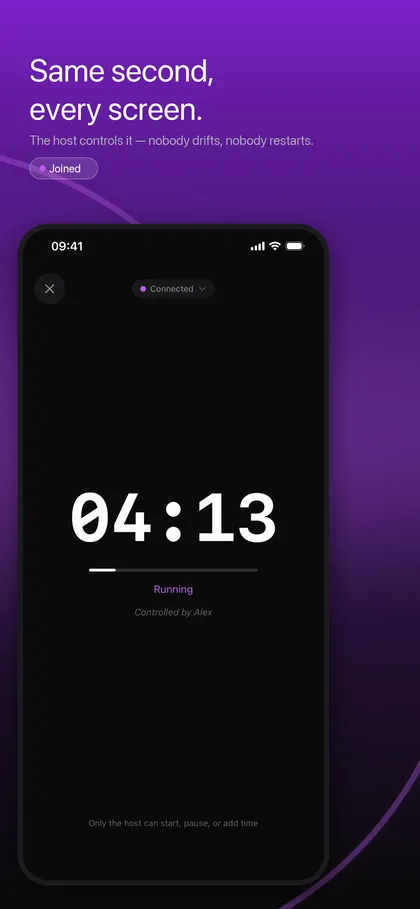
- TimerLync is a countdown timer that stays in sync across every iPhone, iPad and Apple Watch in a room. Set the time once, and every device shows the same remaining seconds and alarms at the same instant.
- It is made for teachers and trainers, presenters and facilitators, study groups and teams, and anyone who needs a group to start and stop together.
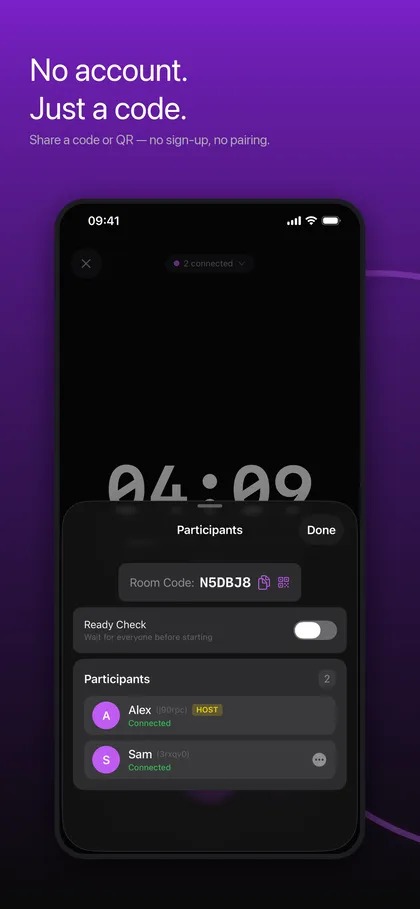
- Devices join with a room code or a QR code, with no account. Nearby devices connect over Bluetooth and Wi-Fi, and devices that are apart connect over the network.
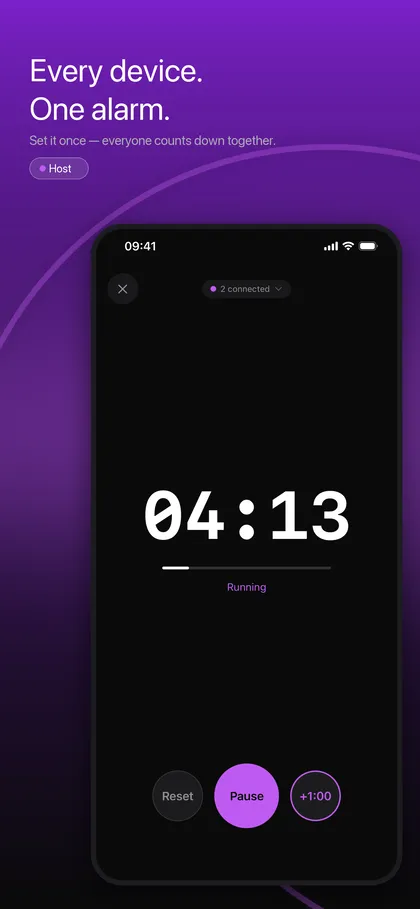
When several people each start a countdown on their own phone, the timers drift: someone taps first, a screen goes to sleep, an alarm sound differs. A multi device timer fixes that by sharing a single end time instead of streaming remaining seconds. TimerLync devices agree on one end time using network time, then count down locally. Even if Wi-Fi drops or a device goes to sleep, the alarm still fires on schedule, because it is scheduled ahead of time rather than pushed at the last second.
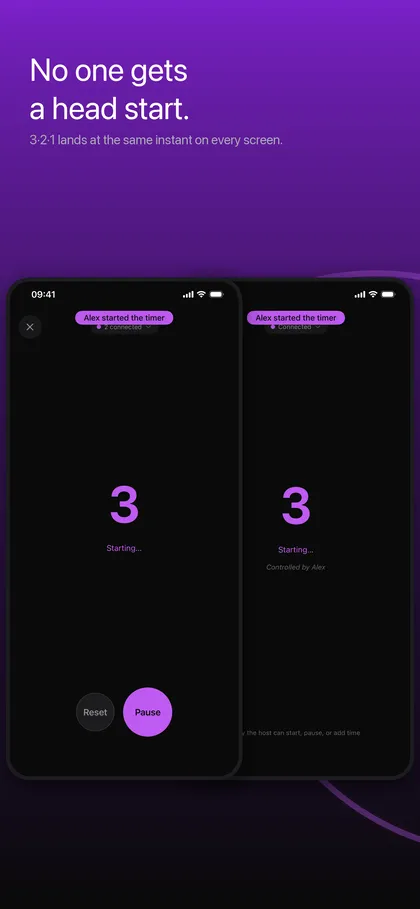
Fair starts matter in group work and workouts. A 3-2-1 lead-in lands at the same instant on every screen, so whoever taps Start does not get a head start. The host can run a ready check that waits until everyone confirms, name co-hosts, and hand the host role to someone else. For talks and events there is a full-screen Stage View with big digits, host messages such as Please wrap up, and a choice of what to show at 00:00.
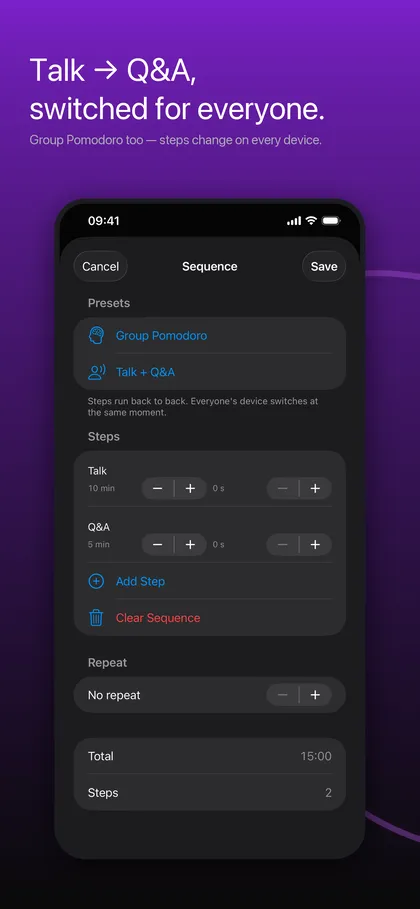
A synchronized timer for groups is also more than a single countdown. Sequences chain steps, for example Talk 10 min then Q&A 5 min, and every device switches at the same moment. Group Pomodoro shares focus and break cycles with a whole team. If you just want a reliable alarm for yourself, Quick Timer works without a room.
What it does
One end time, one alarm on every device
Devices share a single end time and count down locally, so a brief connection wobble does not make the numbers jump. The alarm is scheduled ahead of time, and Strong Alarm can ring even in Silent mode or Focus on iOS 26 or later.
Fair starts with a shared 3-2-1 lead-in
The lead-in is tied to one shared moment, so every screen counts down together. The host starts the timer; pause, +0:30, +1:00 and reset can be opened to everyone. Ready check holds the start until all participants confirm.
Rooms for groups, with no account
Create a room and share a code or QR. Nearby devices connect over Bluetooth and Wi-Fi, and devices that are apart connect across networks. Joining a room is always included; rooms hold two devices without Pro, and Pro raises that to eight.
Sequences, Group Pomodoro and Stage View
Chain steps that switch on every device, share focus and break cycles, show a full-screen display for the podium, and send a message to every screen. When the timer ends it can hold at 00:00, count overtime, flash, or show the clock, set once for the whole room.
Apple Watch, Live Activity, widget and Siri
The Apple Watch companion has its own alarm, even away from your phone. A Live Activity and Dynamic Island show the countdown without unlocking, and there is a Lock Screen widget and Siri support for starting a countdown.
Screenshots
Requirements and details
| Platforms | iPhone, iPad, Apple Watch |
|---|---|
| Requires | iOS 17+ |
| Requirements | iPhone and iPad with iOS 17 or later; Apple Watch companion |
| Joining | Room code or QR code, no account or sign-in |
| Connections | Bluetooth and Wi-Fi nearby, across networks when devices are apart |
| Time sync | Network time agrees on one end time; each device counts down locally |
| Devices per room | 2 without Pro, up to 8 with Pro (counted on the host's device) |
| Group tools | Ready check, co-hosts, host hand-off, sequences, Group Pomodoro, Stage View, host messages |
| Alarm | Scheduled ahead of time; Strong Alarm rings in Silent mode or Focus on iOS 26 or later |
| History | Session history on device; CSV export with Pro |
Limits, stated honestly
- TimerLync runs on iPhone, iPad and Apple Watch only. There is no Android or Windows version, so those devices cannot join a room.
- A room holds two devices without Pro and eight with Pro, counted on the host's device. It is not suited to a class of 30 joining on their own phones; connect one device per group or show the host screen on a projector.
- Time correction uses network time. A device that has never reached the internet can be less accurate, and tens of milliseconds is a target, not a guarantee.
- Silent mode, Focus and notification settings can still silence an alert, except for Strong Alarm on iOS 26 or later. Some networks, such as certain classroom Wi-Fi, block nearby discovery; in that case type the room code to connect over the network.
- Test the Apple Watch alert on your own devices before an important event.
Frequently asked questions
How do I run a synchronized timer on multiple devices?
Create a room, choose the countdown time and start it. Others join by room code or QR, and every device shows the same remaining time and rings at the same instant.
What if a device loses Wi-Fi or goes to sleep?
Each device counts down locally to a shared end time, and the alarm is scheduled ahead of time. The alarm still fires on schedule, though a dead battery or a silenced phone will not ring.
How many devices can use one room?
A room holds two devices without Pro and up to eight with Pro, counted on the host's device. Joining any room is always included, and only the host needs Pro.
Do I need an account?
No. You create or join a room with a code or QR. Pro is a one-time in-app purchase that unlocks rooms of up to eight devices and CSV export of session history.
Can I use it alone, or with Apple Watch?
Yes. Quick Timer is a plain countdown with the same reliable alarm and needs no room. The Apple Watch companion has its own alarm, even away from your phone.
Can I chain steps like a talk and Q&A?
Yes. A sequence chains steps such as Talk 10 min and Q&A 5 min, and every device switches at the same moment. Group Pomodoro uses the same idea for focus and break cycles.