A Mac music player with A-B loop, slow-down and stems
Play your own music files, loop a phrase, slow it down and split it into stems.
At a glance
- Charcoal Player is a music player for Mac that plays the audio files and folders you already have, including FLAC, MP3, M4A, WAV and AIFF, and adds the tools a practice session needs.
- It is for people who learn music by ear, transcribe or dictate, practice an instrument along with a recording, or follow a language lesson, a lecture or a meeting recording one phrase at a time.
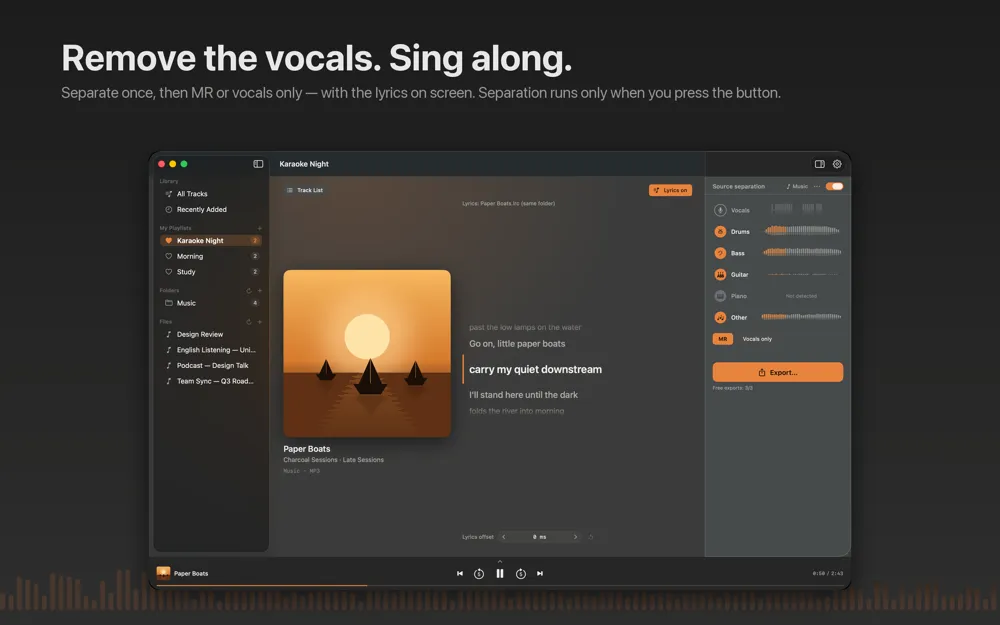
- What sets it apart is that it can take a song apart. Press one button and it separates vocals, drums, bass, guitar and piano on your Mac, so you can keep only the part you want to learn or mute it for a backing track.
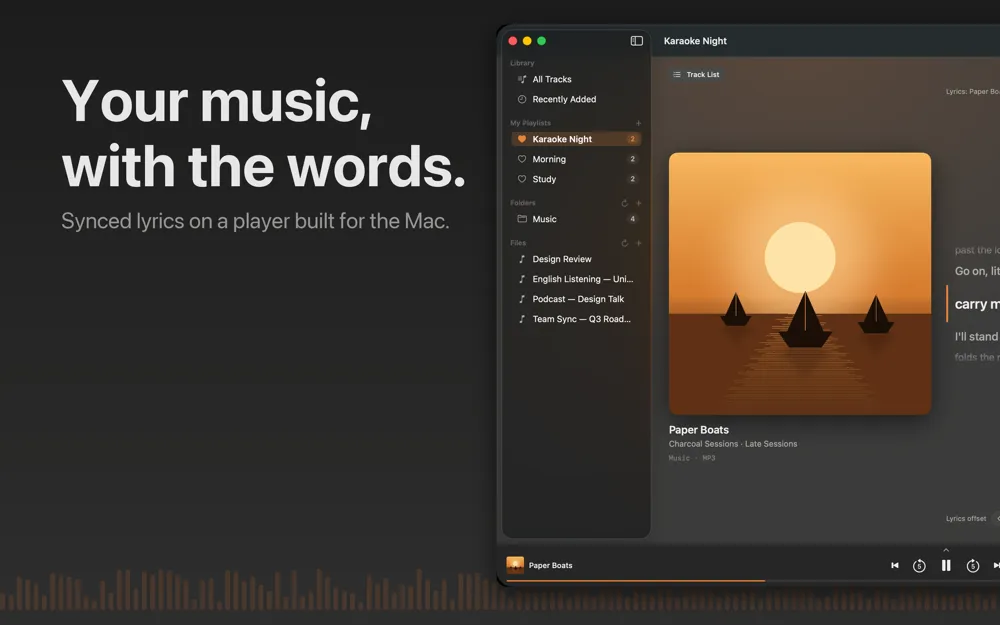
If you are looking for a Mac music player for FLAC and other local files, Charcoal Player opens on a Now Playing screen with large artwork, track information and lyrics that scroll with the music. You add your practice folder once and the library stays where you left it through restarts and updates. If a folder goes offline, for example when an external drive is unplugged, tracks are marked rather than deleted, and reconnecting takes one click.
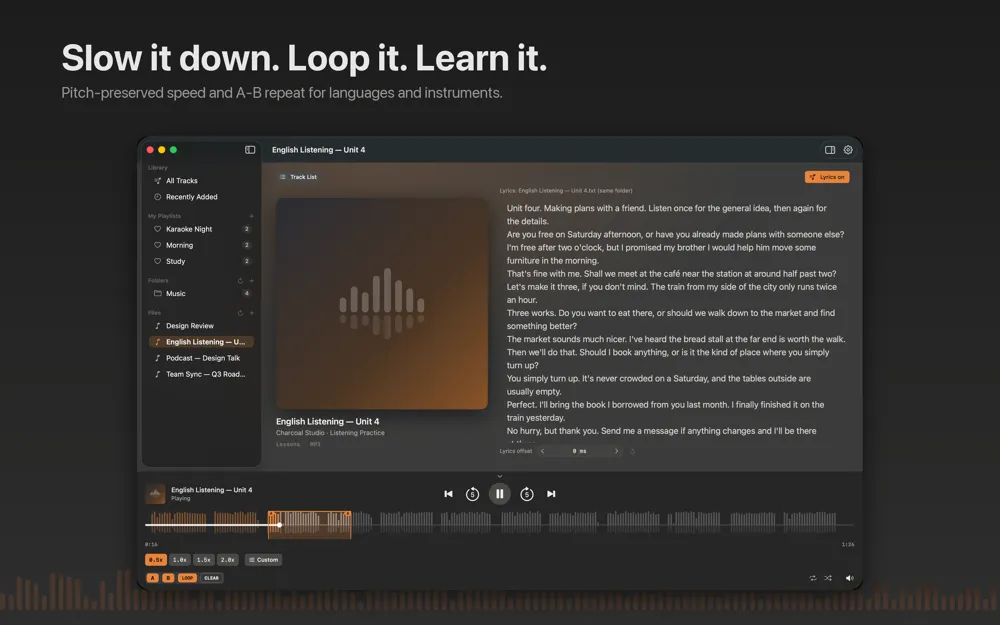
For a Mac audio player with loop or A-B repeat, Charcoal Player lets you mark a phrase with one key for A and one for B and toggle the loop with a third. The loop is sample-accurate, so it repeats without drift at the boundary. Combine it with speed control from 0.5x to 3.0x with the pitch preserved, and a hard passage becomes something you can work through slowly instead of fighting a chipmunk effect.
Everything stays on your Mac. There are no ads, no account and no data collection, and your music never leaves the computer. Playback, speed, A-B looping and source separation have no usage limits.
What it does
A-B repeat and slow-down with the pitch preserved
Mark a phrase with one key for A, one for B and one to toggle the loop. The repeat is sample-accurate, with no drift at the boundary. Playback speed runs from 0.5x to 3.0x while the pitch is preserved, which makes it suitable for transcription, dictation, ear training and slow practice of anything you are learning by ear. Custom skip lengths from 0.5 to 30 seconds help you step through a recording.
Split a song into stems
Separate any track into vocals, drums, bass, guitar and piano, up to six stems, processed entirely on your Mac. Keep only the vocals to learn a melody, or mute them to get a backing track. Separation starts when you ask for it with Separate This Track, tracks you already separated open instantly, and an automatic start is available in Settings under Source separation.
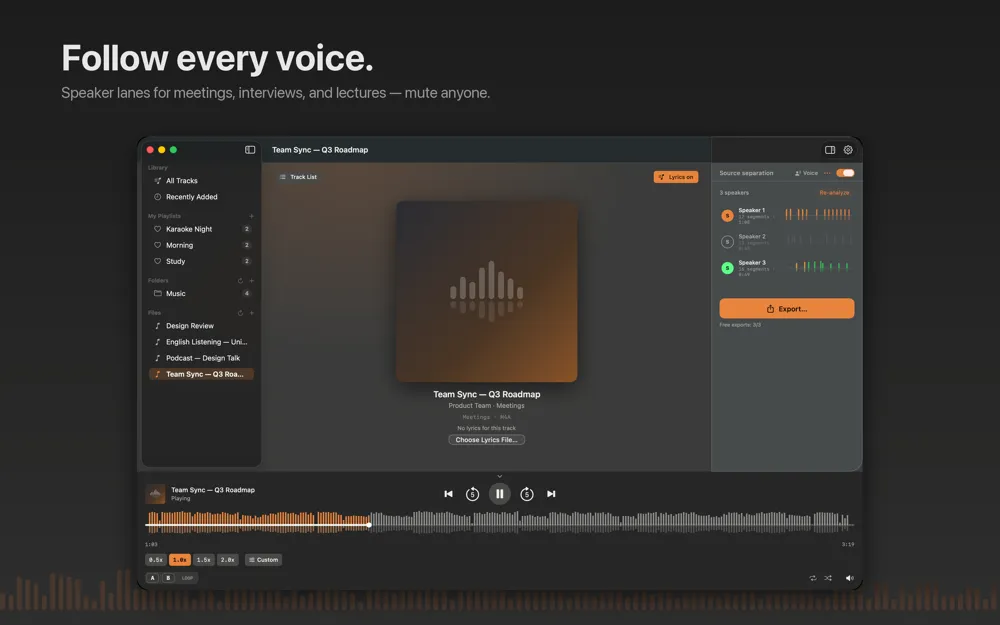
Speaker lanes for meetings and lectures
Recordings of meetings, interviews and lectures get one lane per speaker instead of instruments, so you can follow, mute or isolate each voice in the room.
Lyrics from your own files
Lyrics come from a .lrc file beside the track, from lyrics embedded in the file or from a matching .txt. Nothing is looked up online, and if the timing is off you can adjust the offset per track without the audio file ever being modified.
Export what you isolated
Export any combination of stems or speakers in the original quality or as MP3, AAC, ALAC, WAV, AIFF or FLAC. Playlists, an Open With action in Finder and a menu bar mini controller with three lines of lyrics round out everyday listening.
Screenshots
Requirements and details
| Platforms | macOS |
|---|---|
| Requires | macOS 15+ |
| Platform | Mac |
| Requirements | macOS 15 or later |
| Playback | Local audio files and folders, including MP3, M4A, WAV, AIFF and FLAC |
| Speed | 0.5x to 3.0x with the pitch preserved |
| A-B loop | Sample-accurate, one key each for A, B and loop |
| Source separation | Up to 6 stems (vocals, drums, bass, guitar, piano and more) or speaker lanes, processed on your Mac |
| Export formats | Original quality, MP3, AAC, ALAC, WAV, AIFF, FLAC |
| Privacy | No ads, no account, no data collection |
| Languages | 12 |
Limits, stated honestly
- Charcoal Player plays local files only. It does not stream from music services and does not sync your library between devices.
- It changes playback speed while preserving the pitch, but it does not change the pitch itself.
- Source separation starts only when you ask for it with Separate This Track, unless you turn on the automatic start in Settings.
- Exporting to a file is limited to 3 exports per rolling 24 hours unless you add the optional unlimited-exports purchase. Playback, speed, A-B looping and separation are not limited.
- It is a Mac app only; there is no iPhone or iPad version.
Frequently asked questions
Which Mac music player can play FLAC files?
Charcoal Player plays local FLAC along with MP3, M4A, WAV, AIFF and other common formats. Add a folder once and the library stays in place after restarts and updates.
How do I loop a section of a song on a Mac?
Press the key for A at the start of the phrase and the key for B at the end, then toggle the loop. The A-B repeat is sample-accurate, so it does not drift at the boundary.
Can I slow down music on a Mac without changing the pitch?
Yes. Charcoal Player plays from 0.5x to 3.0x with the pitch preserved, so slow practice does not turn into a low, distorted voice.
Can it remove the vocals from a song?
Yes. Separate the track into stems and mute the vocals to get a backing track, or keep only the vocals to learn the melody. Up to six stems are processed on your Mac.
Does it need an account or send my music anywhere?
No. There is no account, no ads and no data collection, and your music stays on your Mac.
Can I save the separated parts?
Yes. Export any combination of stems or speakers in original quality or as MP3, AAC, ALAC, WAV, AIFF or FLAC. Exports are limited to 3 per rolling 24 hours unless you add the optional unlimited-exports purchase.