
Play MKV files on your Mac
A light video player for MKV, MP4 and MOV, with subtitles that just work
Languages: English · Deutsch · 한국어
At a glance
- slplayer is a video player for the Mac that opens MKV, MP4, M4V, MOV and MPEG-TS files and plays them with the media engine built into macOS.
- It is for anyone who asks how to play MKV files on a Mac, whose subtitles show up as garbled characters, or who watches two-language episodes and wants to pick the audio track.
- It adds no codec pack and no bundled decoder, so it stays light on battery, and it needs no account.
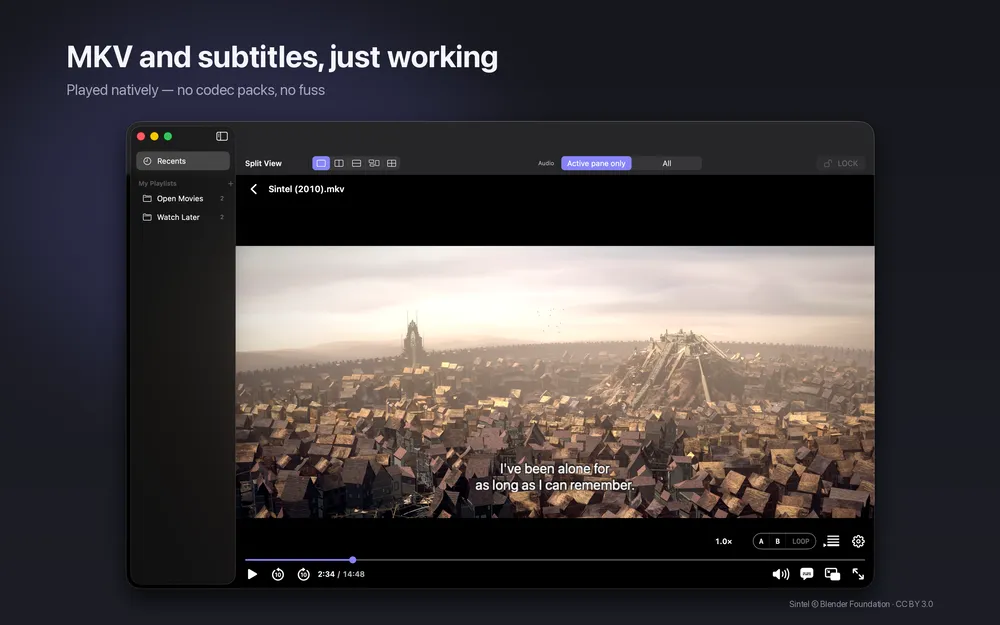
QuickTime Player often refuses MKV files. The reason is that MKV is a container, a kind of box, and the video and audio inside use codecs that decide whether a Mac can decode them. slplayer opens the MKV container and hands the streams to macOS, so files with H.264 or HEVC video and common audio such as AAC, AC-3, E-AC-3 or FLAC play without extra software.
If you are searching for an MKV player for Mac or just a video player for Mac that does not feel heavy, the idea is simple: drag a file onto the window, open it from Finder, or drop several files at once to build a queue. Subtitles in SRT, VTT and SMI load next to the video, two tracks can show at the same time, and you can choose which audio track you hear. Everything runs on your Mac and the app makes no network requests of its own.
What it does
MKV and other containers, no codec pack
MKV, MP4, M4V, MOV and MPEG-TS open directly. H.264 and HEVC, including 10-bit and HDR10, plus AAC, AC-3, E-AC-3 and FLAC are supported. HDR, picture in picture and energy efficiency come from macOS itself.
Subtitles in SRT, VTT and SMI
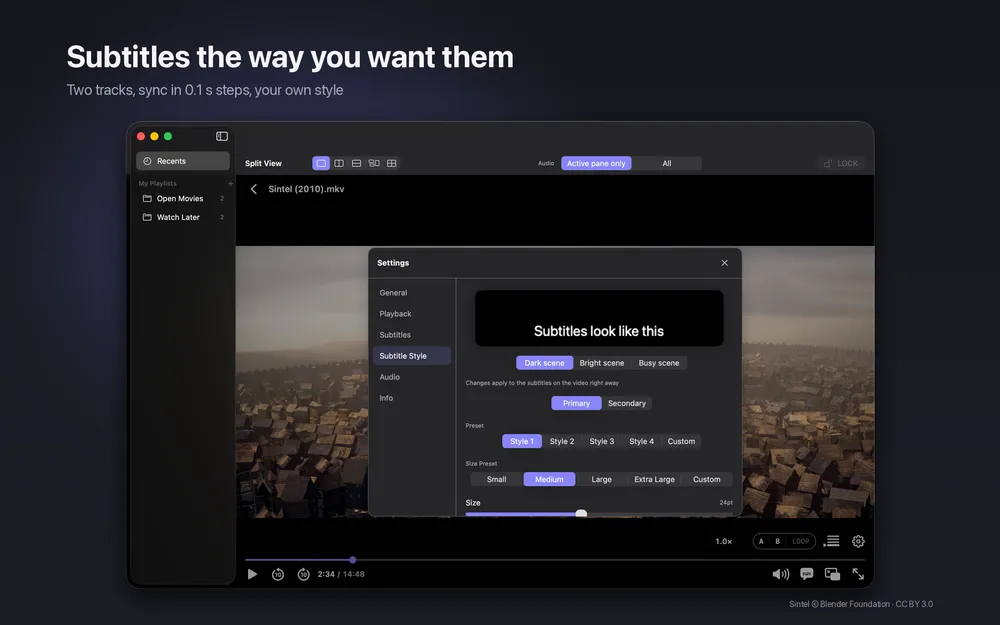
Subtitle files load alongside the video. Korean SMI files saved in EUC-KR are detected automatically, so they do not turn into gibberish. You can show two subtitle tracks at once, shift timing in 0.1-second steps, and the sync is remembered per file.
Audio tracks and playback speed
Pick the audio track you want from episodes that carry two languages. Playback speed runs from 0.5x to 2.0x in 0.1 steps, and every action has a keyboard shortcut.
Playlists and resume
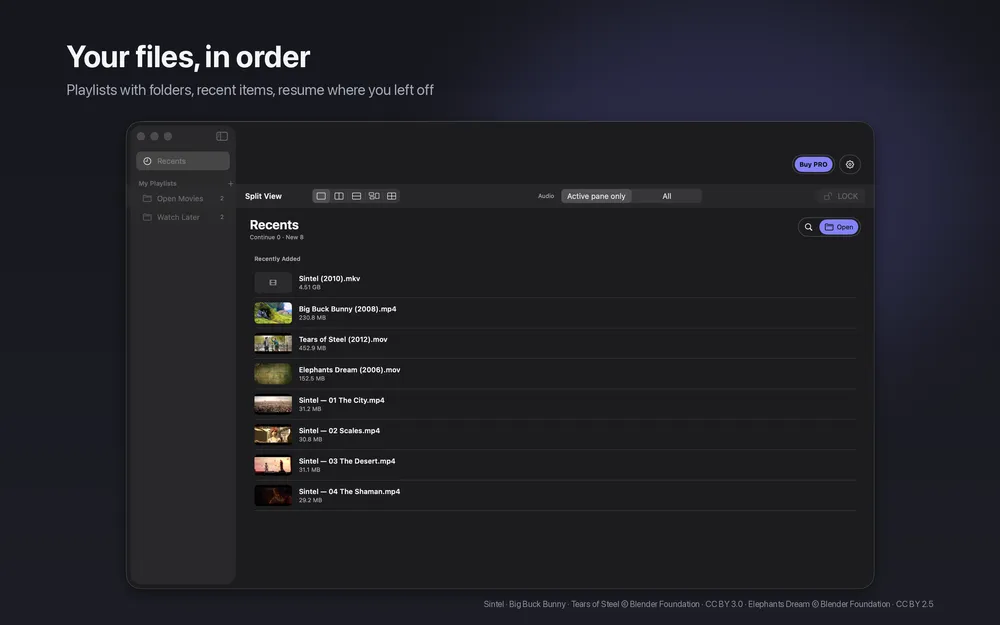
Drop several files to build a queue, organise playlists with folders, reopen recent items, and continue from where you stopped.
Optional Pro for power use
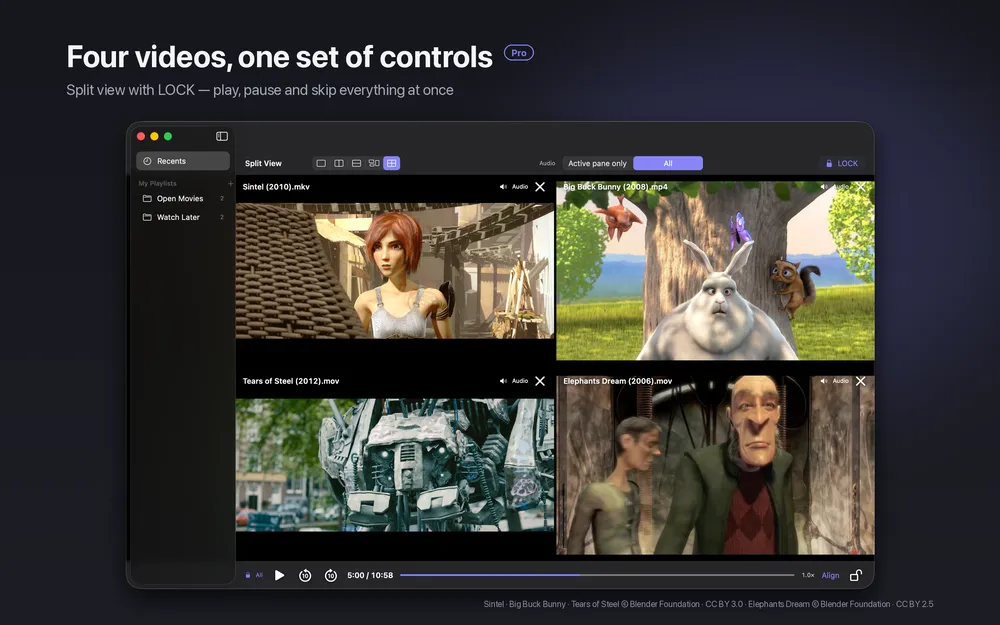
Basic playback needs no purchase. slplayer Pro adds split view for up to four videos, picture in picture, a menu bar mini player, A-B loop and a sleep timer, and a 7-day in-app trial of all Pro features starts at first launch, with no payment details. After the trial, Pro features lock and basic playback stays available.
Screenshots
Requirements and details
| Platforms | macOS |
|---|---|
| Requires | macOS 14+ |
| Requirements | Mac with macOS 14 or later |
| Containers | MKV, MP4, M4V, MOV, MPEG-TS |
| Video and audio | H.264, HEVC (10-bit, HDR10), AAC, AC-3, E-AC-3, FLAC |
| Subtitles | SRT, VTT, SMI (EUC-KR detected automatically) |
| Playback speed | 0.5x to 2.0x in 0.1 steps |
| App languages | 12, switchable inside the app |
| Privacy | No account, no analytics, no ads; the app makes no network requests of its own |
Limits, stated honestly
- slplayer plays only what your Mac supports. If a file's audio cannot be decoded by macOS, the video plays without sound and a notice appears when playback starts.
- Image-based subtitles, such as picture subtitles on discs, are not shown. Files that cannot be opened show an error.
- The documented subtitle formats are SRT, VTT and SMI; other formats are not guaranteed.
- It is a Mac app only. Split view, picture in picture, A-B loop and other extras need the optional Pro upgrade.
Frequently asked questions
How do I play MKV files on a Mac?
QuickTime Player often cannot open MKV because it is only a container. Open the file in slplayer by dragging it onto the window or choosing it in Finder. If the video and audio inside use codecs macOS supports, such as H.264, HEVC, AAC or AC-3, it plays.
Why does an MKV play with no sound?
The audio codec inside the file is not one your Mac can decode. slplayer then plays the video and shows a notice when playback starts, because it plays only formats macOS supports.
Does slplayer support ASS or picture subtitles?
The documented subtitle formats are SRT, VTT and SMI. Image-based subtitles are not shown, and other formats are not guaranteed.
Do I need an account or a purchase?
No account is needed. Opening files, MKV, subtitles, sync, speed and playlists work without Pro. slplayer Pro is optional and adds split view, picture in picture and A-B loop.
Can I try Pro before buying?
Yes. A 7-day in-app trial of all Pro features starts at first launch, with no payment details needed. Afterwards the Pro features lock and basic playback keeps working.