
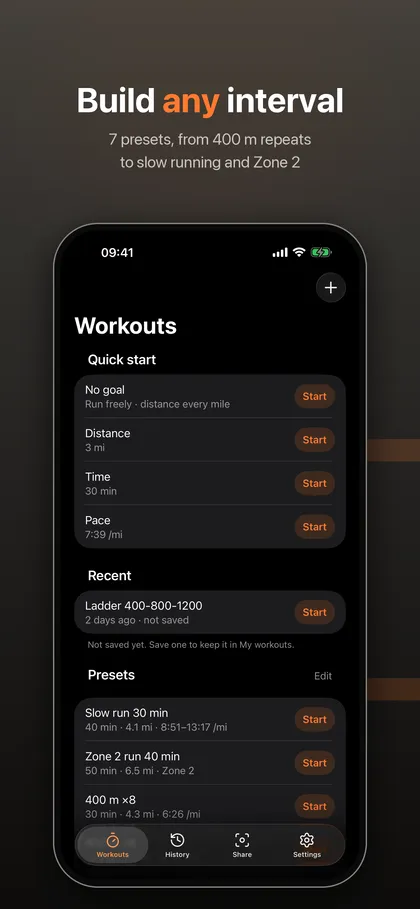
Build a session by time or distance.
Give each step a target pace or speed in km or miles. Seven presets are ready, from a walk-run starter to 400 m and 800 m repeats.
IntervalRunner · Interval running timer for iPhone, Apple Watch and Android
Tells you by voice, tone and a tap on the wrist the moment your pace drifts from the target.


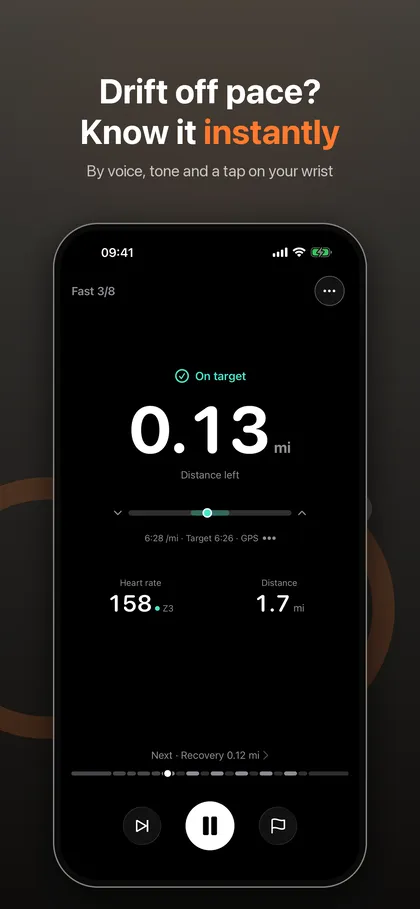
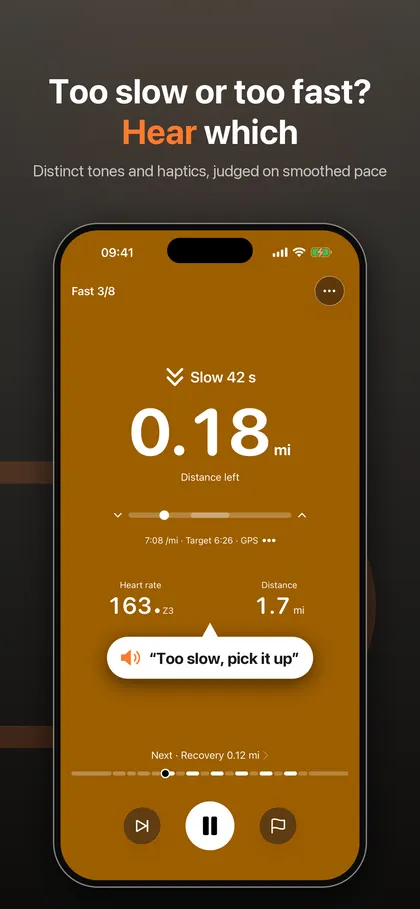
Alerts use smoothed pace instead of the jumpy GPS reading, and you choose the tolerance band.
Running ahead or behind gets its own tone and haptic, so you know what to do before you read a number.
Voice cues lower your music for a moment and keep going while your phone stays in your pocket.
Give each step a target pace or speed in km or miles. Seven presets are ready, from a walk-run starter to 400 m and 800 m repeats.
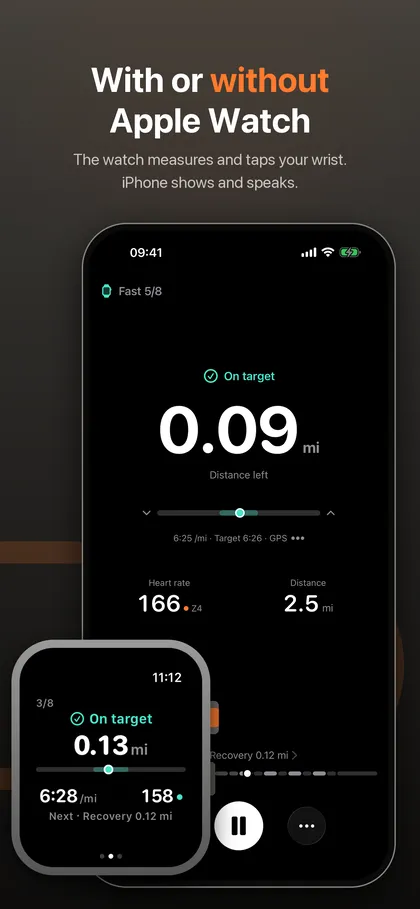
Run with the phone alone, the watch alone, or the two together. Treadmill mode needs no GPS and runs on time at the machine's speed.
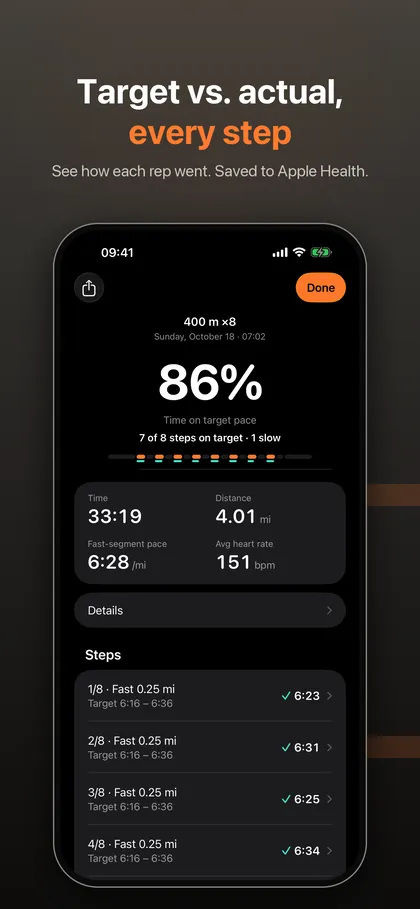
After the run, the summary sets every step against its target. Workouts go to Apple Health if you allow it.
Pick a preset or set your own steps, put the phone away and run.
Get IntervalRunner for iPhone, Apple Watch and Android.
Designed and built by Setlog, an independent developer of Mac and iPhone apps, with 10 apps on the App Store.Also from Setlog: RunVue, 급식로그, Zipda
A plain interval timer beeps when a step ends but cannot tell you whether you ran it at the right pace. IntervalRunner adds that check. Every step, set by time or by distance, carries a target pace or speed, and the app warns you as soon as you leave the band you chose. You know which way to correct before you look at a number.
It works for a track session of 400 m or 800 m repeats as well as a 1 minute fast and 1 minute easy workout on a trail. Without a watch, the iPhone measures, displays and speaks. With an Apple Watch, the watch measures and taps your wrist while the iPhone shows the numbers and speaks. Treadmill mode needs no GPS.
After each run you can compare target and actual for every step, and workouts are saved to Apple Health if you allow it. Share images turn a run into a photo, video or Live Photo with your stats.
The app judges smoothed pace rather than the raw GPS reading, which jumps around, and you pick the tolerance band. Running ahead of pace and falling behind it sound and feel different, so you hear which way to correct before you read a number.
Natural AI-generated voice cues lower your music for a moment and keep working with the screen locked. With an Apple Watch you also get haptics on your wrist, so the phone can stay in your pocket.
Each step is set by time or distance with a target pace or speed. Seven presets are ready to run: walk-run starter, 1 min fast / 1 min easy, 400 m and 800 m repeats, tempo, slow running and Zone 2 (Zone 2 is part of Pro). Three count modes let you start when you reach target pace, count only while on target, or count right away.
Run with iPhone alone, with the watch alone, or with both. Treadmill mode needs no GPS: you run on time at the speed set on the machine, then confirm the distance from its display.
The summary compares each step with its target. Pro adds detailed step analysis, trends and personal bests, plus heart-rate zone targets and recovery that ends when your heart rate drops.
Pick a preset such as 1 min fast / 1 min easy or 400 m repeats, or build your own steps by time or distance with a target pace. Start the workout and the app counts the steps and warns you if you leave the tolerance band.
No. You can run with iPhone alone. With an Apple Watch, the watch measures and taps your wrist while the iPhone shows the numbers and speaks. Running with just the watch also works.
Yes. Treadmill mode uses no GPS: you run on time at the speed set on the machine, then confirm the distance from its display.
Yes, with Pro. Heart-rate zone targets and recovery that ends when your heart rate drops are Pro features and need an Apple Watch or a Bluetooth heart-rate monitor.
Pro adds step analysis, trends and personal bests, heart-rate zone targets, a saved workout library with folders, nested repeats, ladder, pyramid and Yasso 800 generators and per-second CSV export.
Your runs, routes and health data stay on your devices. There is no account and no server of ours. If you allow it, workouts are saved to Apple Health.