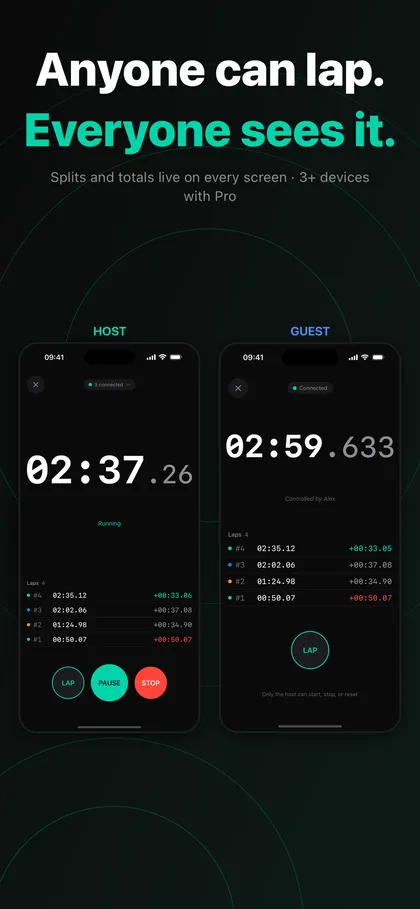
Anyone in the room can take a lap.
Laps and split times appear on every device, and a wrong lap can be undone right after you record it.
LapLync · Synchronized stopwatch for iPhone and iPad
Start once and every device in the room starts with you, with laps and splits showing up on all of them.

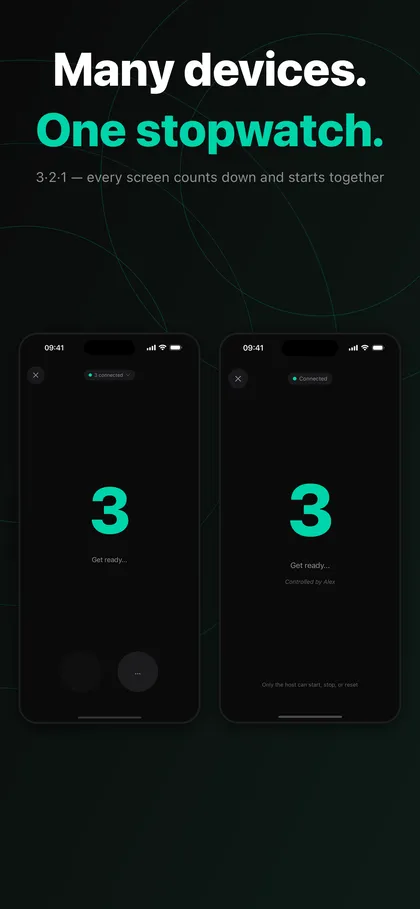
The 3-2-1 countdown lands on every screen at the same moment, so whoever taps Start gets no advantage.
Bluetooth and Wi-Fi nearby, the internet across networks, and each device keeps timing if every connection drops.
Record laps with the volume buttons, a Bluetooth shutter remote or a keyboard. It stays off until you turn it on.
Laps and split times appear on every device, and a wrong lap can be undone right after you record it.
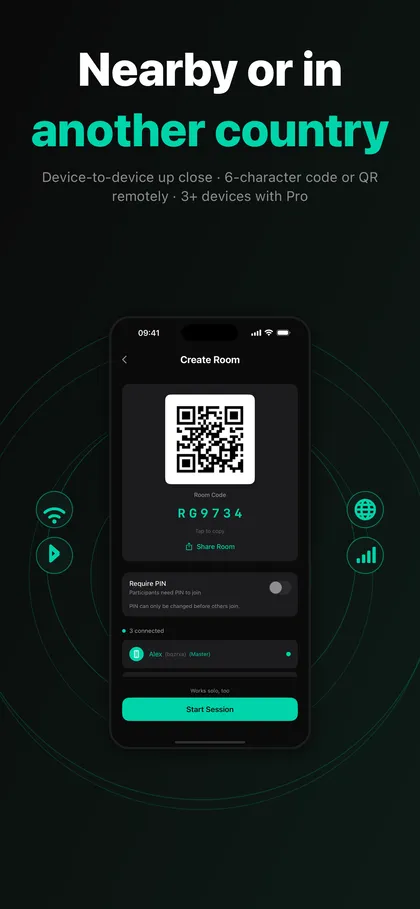
Share the room code by voice, chat or QR. No account, password or email is needed.
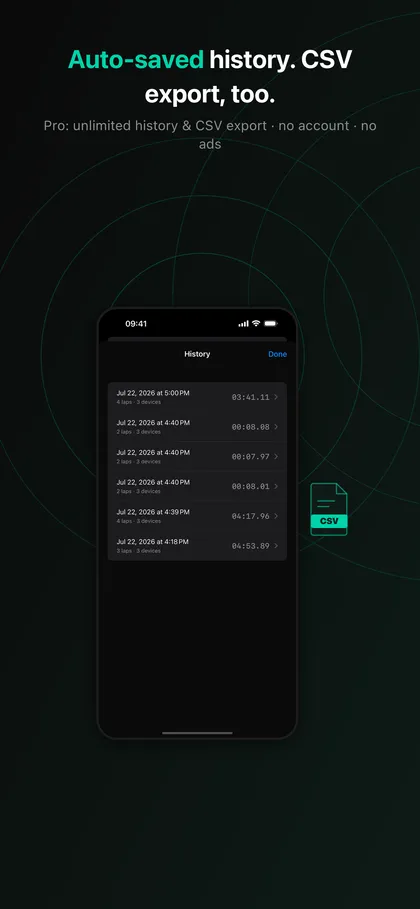
Recent sessions are kept on the device, ready to look back on after practice.
Create a room, share the code and tap Start.
Get LapLync for iPhone and iPad.
Designed and built by Setlog, an independent developer of Mac and iPhone apps, with 10 apps on the App Store.Also from Setlog: RunVue, IntervalRunner, 급식로그
Timing a group with several ordinary stopwatches is unreliable. Someone says go, reaction times differ, and one person cannot touch every device. LapLync replaces that with a shared start: when the host taps Start, a 3-2-1 countdown appears on every screen at the same moment and all stopwatches begin together. Clocks are aligned to Apple's time servers (NTP), and devices typically agree to within a few tens of milliseconds, about 50 ms depending on the network.
A multi device stopwatch is useful wherever times from different places must be compared. A coach can hand phones to athletes on the sideline, a swim meet can place a device at each timing post, and a relay can record handoffs against one start. Anyone in the room can record a lap, and every lap and split time is visible on every device, so nobody has to copy numbers by hand afterwards.
The same room works whether devices share one Wi-Fi network or each use their own mobile data. LapLync tries Bluetooth and Wi-Fi first when devices are close, switches to an internet relay when they are on different networks, and falls back to independent timing from each device's NTP anchor if everything fails. Recordings merge automatically when the connection returns.
The host starts the stopwatch and the countdown lands on every screen at the same time, so whoever taps Start gets no head start. Only the host starts, pauses and stops; participants record laps.
Anyone in the room can record a lap, and laps and split times appear on every device. If you record the wrong lap, tap Undo right after it, or long-press a lap to delete it. The host can delete any lap and participants can delete their own, and deletions sync everywhere.
Close devices connect over Bluetooth and Wi-Fi. Devices on different networks, even in different countries, connect over the internet. If all connectivity fails, each device keeps running from its NTP anchor. A short Reconnecting banner appears while the stopwatch keeps running, and you can tap Reconnect to retry.
Optional and off by default: use the volume buttons, a Bluetooth shutter remote, or a keyboard or page-turner remote to record laps. A Live Activity shows the running stopwatch on the Lock Screen and in the Dynamic Island, and can be turned off in Settings.
Create a room and share the code by voice, chat or QR. Joining any room is always included. Pro extends a room you create to up to eight devices and adds CSV export and the full session history. Only the person who creates the room needs it.
Create a room on one device, then let the others join with the 6-character code or by scanning the QR. When the host taps Start, a 3-2-1 countdown shows on every screen and all stopwatches begin together.
Yes. Nearby devices use Bluetooth and Wi-Fi, and devices on different networks connect through an internet relay automatically, even in different cities or countries. If connections fail, each device keeps timing and recordings merge when the connection returns.
With Pro, the room creator can open rooms of up to eight devices. Joining a room someone else created is always included, so participants never need Pro.
Devices are aligned to Apple's time servers and typically agree to within a few tens of milliseconds, about 50 ms depending on the network. That suits practice, training logs and informal races; for official results use dedicated timing equipment.
No account, password or email is needed, and there are no ads. A device joins a room with the 6-character code or by scanning the QR, and that is all it takes.
Yes, optionally. Turn on the volume buttons, a Bluetooth shutter remote, or a keyboard or page-turner remote in Settings. It is off by default.