Race a past run on the same course.
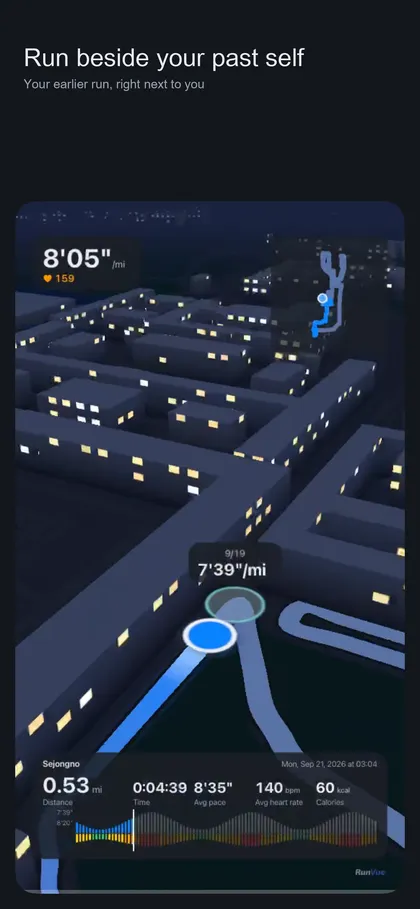
Ghost race puts an earlier run on the same course beside you, so you can see where you gained and lost.
RunVue · Running replay app for iPhone and Android
Turns a run you already recorded into a short 3D video, with a camera that follows low above the streets you ran.


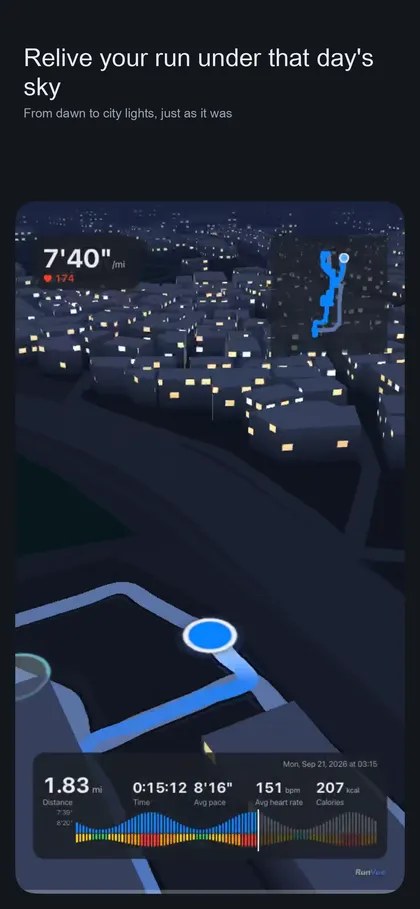
The camera stays low above the road, between 3D buildings built from your route. It feels like running it again.
A HUD shows pace and heart rate, with a mini-map and a card for each section.
Sky of the day brings back the light and weather from the hour you were out.
Ghost race puts an earlier run on the same course beside you, so you can see where you gained and lost.
Moments picks out your quickest stretch, biggest climb and final sprint and plays them in slow motion.
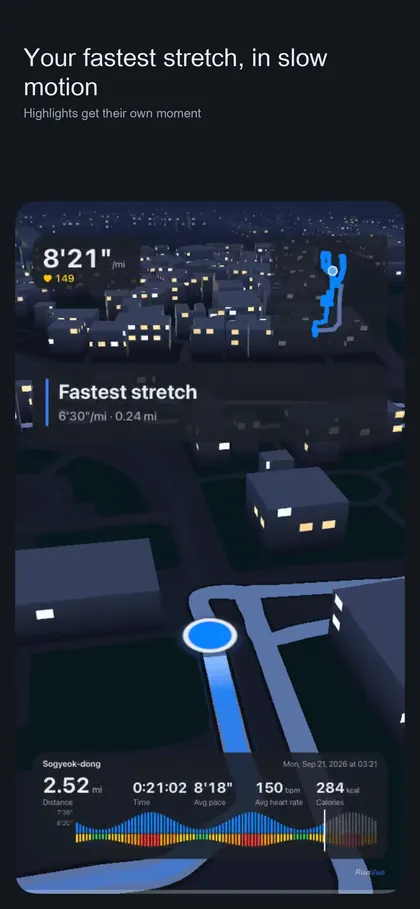
Preview map themes and music before you save, then export a 9:16 video to Photos.
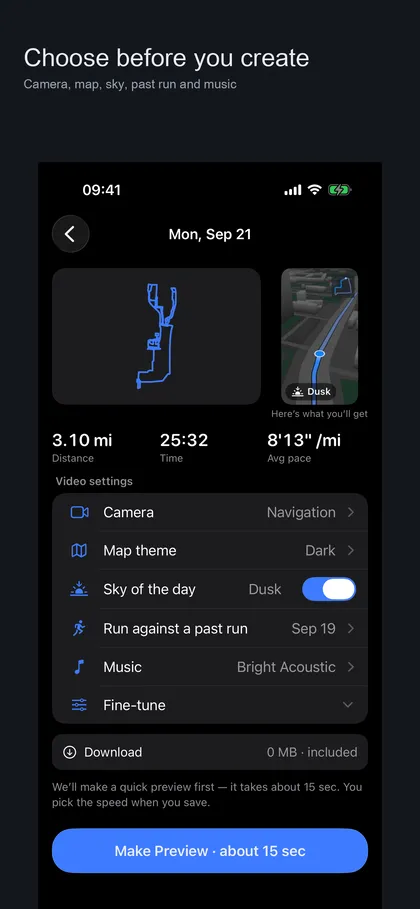
Pick a run you already saved, choose a camera and a theme, and save the video.
Get RunVue for iPhone and Android.
Designed and built by Setlog, an independent developer of Mac and iPhone apps, with 10 apps on the App Store.Also from Setlog: IntervalRunner, 급식로그, Zipda
If you search for a running replay video or a 3D run replay, you usually find apps that record the run or draw a flat route on a map. RunVue starts after the run. Import a running workout from Apple Health, the route your Apple Watch or running app already saved there, or bring in a GPX or FIT file from a device that does not save routes to Health. RunVue builds a 3D scene of the streets and buildings along your route, matches your GPS track to the road and renders the replay on your iPhone.
The result is a 9:16 video you can save to Photos or share. A tracking third-person camera follows your run, a HUD shows pace and heart rate, a mini-map and section cards show your splits, and a final aerial sweep shows the whole route. You choose the map theme and music before you save, and you can preview first.
Beyond a single run, you can run against your own past run on the same course, replay the light and weather from the day you ran, let the app slow down your quickest stretch, and layer all your runs on one city map to make monthly recap videos.
The camera follows low above the road through the 3D streets and buildings built from your route, so the video feels like running it again. The video ends with an aerial sweep of the whole course with the streets and landmarks you passed.
Pace and heart rate appear on screen, with a mini-map, section cards with splits, and a pace and heart-rate waveform along the bottom and in the ending.
Sky of the day reproduces the light and weather from when you ran. Ghost race puts a past run on the same course beside you. Moments shows your quickest stretch, biggest climb and final push in slow motion.
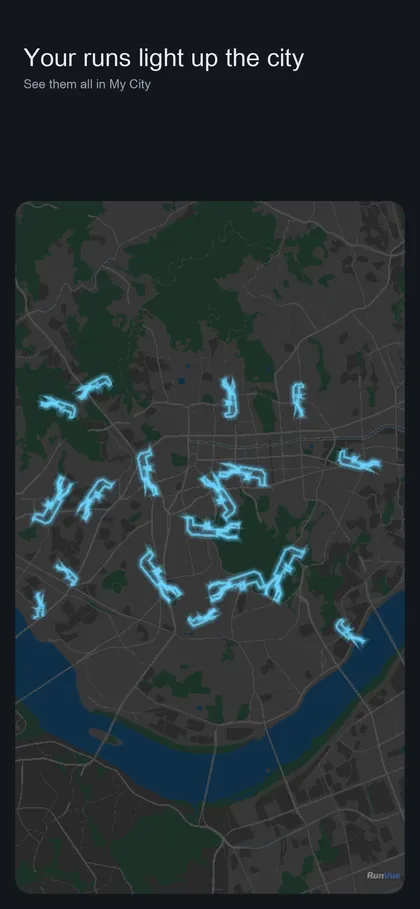
My City layers your runs on one city map and turns This month and Last month into recap videos. Pro adds Year and All-time recaps.
Export a 9:16 video to Photos. Three map themes and five background music tracks are included, with preview before you save, and every run can be made at 1x and Summary speed.
Open RunVue, pick a running workout from Apple Health or import a GPX or FIT file, choose camera, map theme, sky and music, then make a preview and save the video to Photos. The settings screen says a preview takes about 15 seconds.
No. It works from runs that are already saved in Apple Health, or from a GPX or FIT file. Use your Apple Watch or running app to record.
It is a short video in which a camera follows your recorded route through a 3D model of the streets and buildings along it, with a HUD for pace and heart rate, instead of a flat map line.
Pro adds speeds from 2x to 60x, the Cinematic, Calm, Oblique and Aerial camera presets, camera height and zoom, racing any past run, Year and All-time recaps, and saving videos without the watermark.
The video shows the entire route and the app cannot mask a section, so decide who sees the video before you share it.
The video is rendered on your iPhone and your GPS route, precise location and Health data are not sent to a server or to ad or measurement SDKs, except for videos you share yourself. Maps are downloaded only as coarse regional tiles.