A-B loops with no drift.
Mark A, B and the loop with one key each. The repeat is sample-accurate, so the boundary never slips.
Charcoal Player · Audio player for Mac
Slows down your music with the pitch intact and removes the vocals for a backing track.

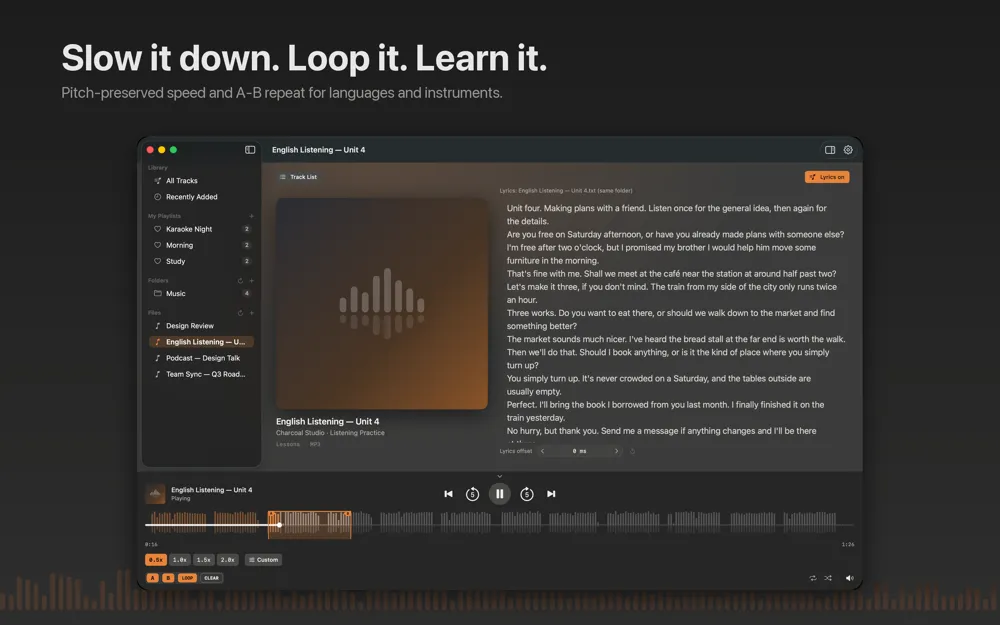
Play anything from 0.5x to 3x with the pitch preserved. Loop a phrase with one key each for A, B and the loop.
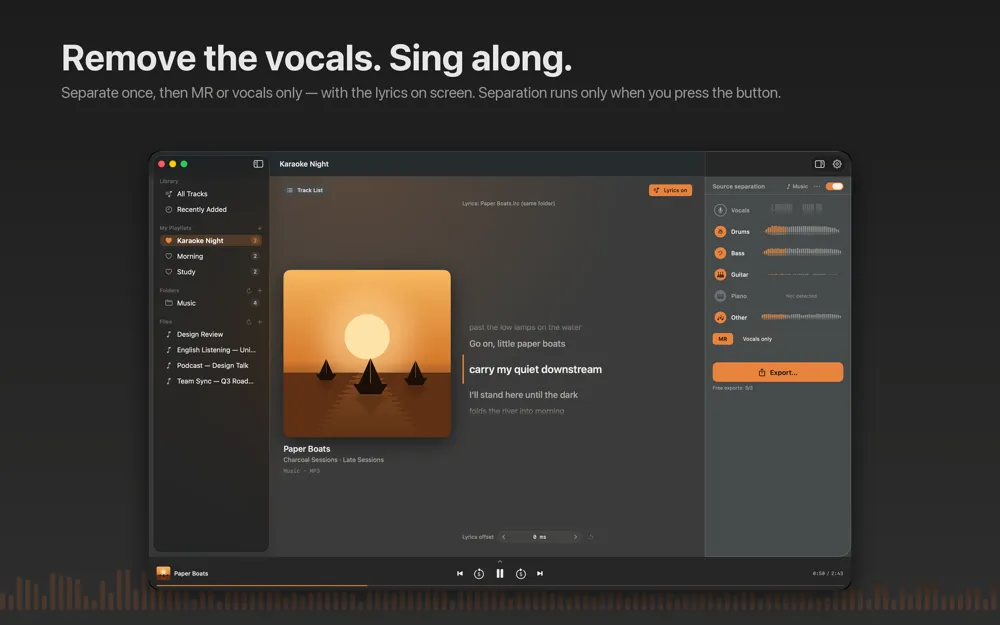
One button splits a song into vocals, drums, bass, guitar and piano on your Mac. Mute the vocals and you have a backing track.
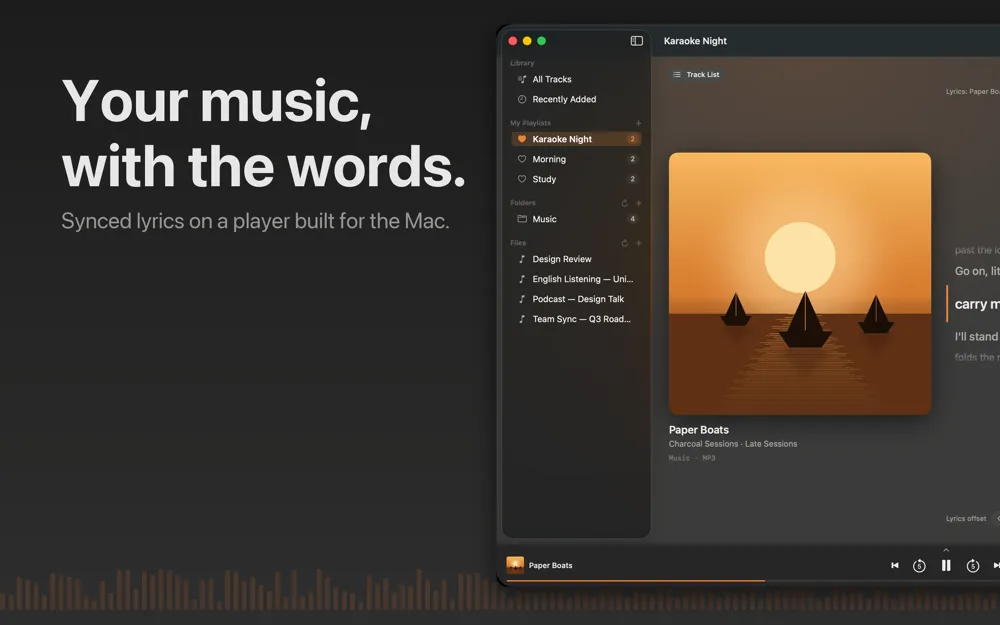
FLAC, MP3, M4A, WAV and AIFF play straight from your folders. Lyrics come from your own .lrc files or embedded tags.
Mark A, B and the loop with one key each. The repeat is sample-accurate, so the boundary never slips.
Separate a track into up to six stems, processed entirely on your Mac. Keep only the vocals to learn the melody, or export the mix you made.
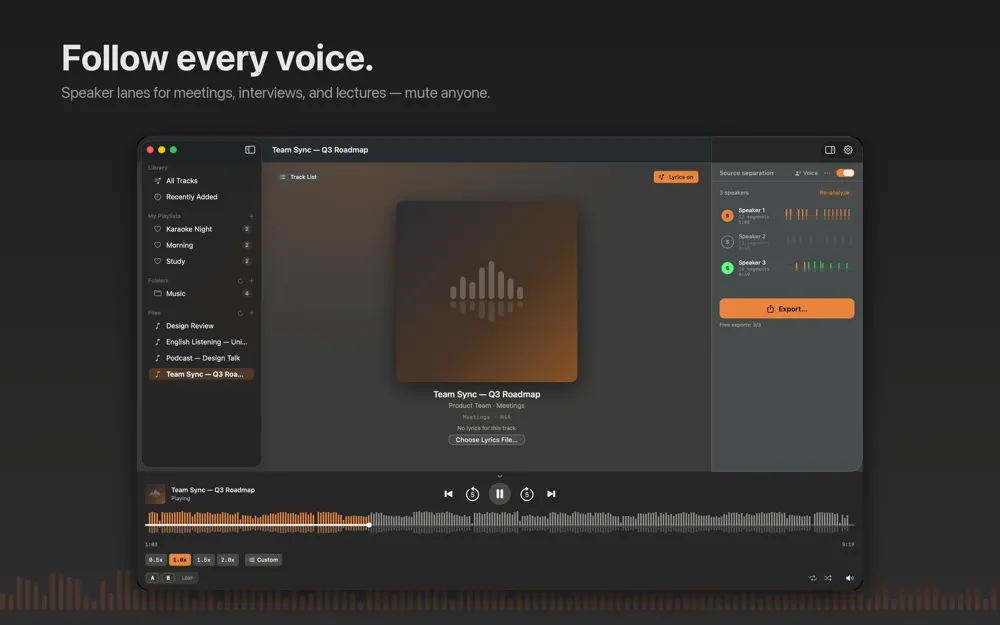
Recordings of meetings, interviews and lectures get one lane per speaker. Follow, mute or isolate each voice.
Open it in Charcoal Player and start the separation. Everything runs on your Mac.
Get Charcoal Player for Mac.
Designed and built by Setlog, an independent developer of Mac and iPhone apps, with 10 apps on the App Store.Also from Setlog: slplayer, Belvue, RunVue
If you are looking for a Mac music player for FLAC and other local files, Charcoal Player opens on a Now Playing screen with large artwork, track information and lyrics that scroll with the music. You add your practice folder once and the library stays where you left it through restarts and updates. If a folder goes offline, for example when an external drive is unplugged, tracks are marked rather than deleted, and reconnecting takes one click.
For a Mac audio player with loop or A-B repeat, Charcoal Player lets you mark a phrase with one key for A and one for B and toggle the loop with a third. The loop is sample-accurate, so it repeats without drift at the boundary. Combine it with speed control from 0.5x to 3.0x with the pitch preserved, and a hard passage becomes something you can work through slowly instead of fighting a chipmunk effect.
Everything stays on your Mac. There are no ads, no account and no data collection, and your music never leaves the computer. Playback, speed control, A-B looping and source separation all happen on the computer in front of you.
Mark a phrase with one key for A, one for B and one to toggle the loop. The repeat is sample-accurate, with no drift at the boundary. Playback speed runs from 0.5x to 3.0x while the pitch is preserved, which makes it suitable for transcription, dictation, ear training and slow practice of anything you are learning by ear. Custom skip lengths from 0.5 to 30 seconds help you step through a recording.
Separate any track into vocals, drums, bass, guitar and piano, up to six stems, processed entirely on your Mac. Keep only the vocals to learn a melody, or mute them to get a backing track. Separation starts when you ask for it with Separate This Track, tracks you already separated open instantly, and an automatic start is available in Settings under Source separation.
Recordings of meetings, interviews and lectures get one lane per speaker instead of instruments, so you can follow, mute or isolate each voice in the room.
Lyrics come from a .lrc file beside the track, from lyrics embedded in the file or from a matching .txt. Nothing is looked up online, and if the timing is off you can adjust the offset per track without the audio file ever being modified.
Export any combination of stems or speakers in the original quality or as MP3, AAC, ALAC, WAV, AIFF or FLAC. Playlists, an Open With action in Finder and a menu bar mini controller with three lines of lyrics round out everyday listening.
Charcoal Player plays local FLAC along with MP3, M4A, WAV, AIFF and other common formats. Add a folder once and the library stays in place after restarts and updates.
Press the key for A at the start of the phrase and the key for B at the end, then toggle the loop. The A-B repeat is sample-accurate, so it does not drift at the boundary.
Yes. Charcoal Player plays from 0.5x to 3.0x with the pitch preserved, so slow practice does not turn into a low, distorted voice.
Yes. Separate the track into stems and mute the vocals to get a backing track, or keep only the vocals to learn the melody. Up to six stems are processed on your Mac.
No. There is no account, no ads and no data collection, and your music stays on your Mac.
Yes. Export any combination of stems or speakers in original quality or as MP3, AAC, ALAC, WAV, AIFF or FLAC. Tracks you already separated open instantly, so you can come back later and export a different mix.