
Every device in the session gets it.
Files you send arrive on every device that joined. Large transfers pick up again after a network drop.
OneSync · File transfer app for iPhone, iPad, Android and Web
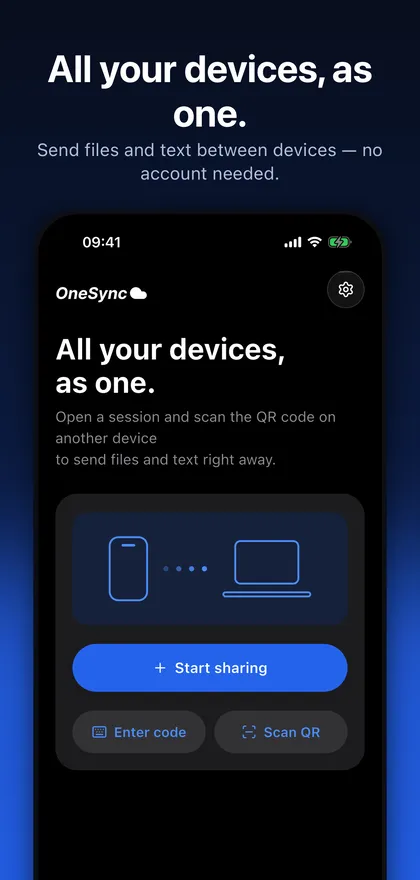
Sends files and text between phones, tablets and any computer with a browser, with no cable and no account.


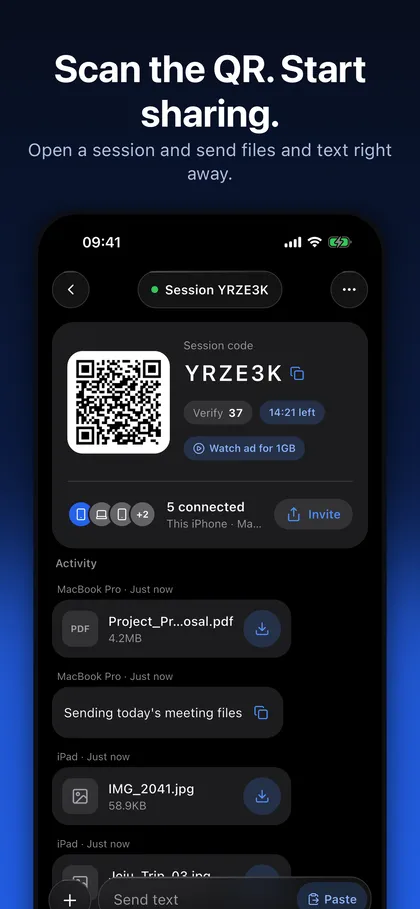
Start a session on either phone and the other joins with a QR code or a short code.
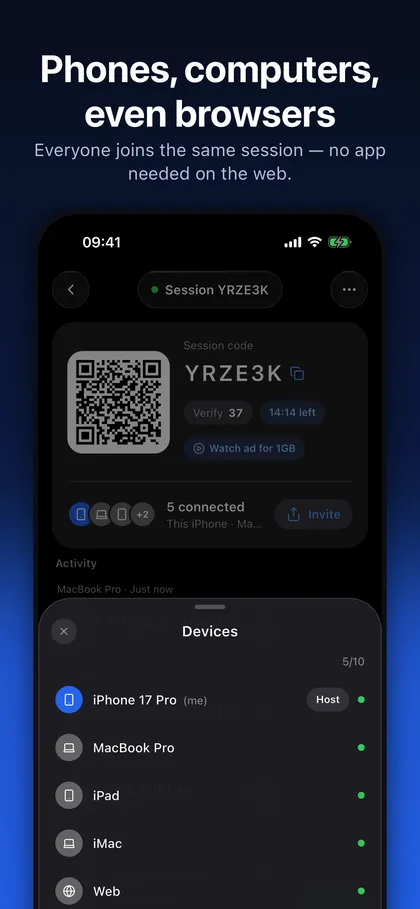
Computers join through a web browser on Windows, Mac or Linux.
There is no account and no login. Each session shows a short verification number so you know you joined the right one.
Files you send arrive on every device that joined. Large transfers pick up again after a network drop.
Send a copied sentence or link to everyone in the session. It stays in the activity list so each device can copy or download it.
Use the share sheet to send a photo or document into your session. Others join by QR code, code or link.
Start a session on your phone and scan the code from the other device.
Get OneSync for iPhone, iPad, Android and Web.
Designed and built by Setlog, an independent developer of Mac and iPhone apps, with 10 apps on the App Store.Also from Setlog: RunVue, IntervalRunner, 급식로그
iPhone to Android file transfer is awkward because AirDrop does not cross platforms and cables need the right adapter. OneSync works through a temporary session instead. Open the app on one device and start a session to get a QR code and a short session code. On another device, scan the QR code or type the code. On a computer you do not install anything: open the OneSync web client in a browser, such as onesync.setlog.net, and join the same way.
Once devices are in the session, you can send files and text to all of them. You can share straight from other apps through the share sheet, copy a link or a sentence on one device and receive it on another, and join with a QR code, a code or a link. Large file transfers can resume after a network interruption.
OneSync is a temporary transfer channel for hand-offs. Transfers go through our server over encrypted connections (HTTPS/TLS), and files and text are deleted from the server after the session ends. That makes it suitable for quick hand-offs on a shared PC or between family members' phones, and unsuitable for highly sensitive files.
Start a session on an iPhone or an Android phone and let the other device join with the QR code or session code. Files you send arrive on every device in the session. Each session also shows a short verification number so you can confirm you joined the right one.
Computers join through a browser, so there is nothing to install on a Windows PC, Mac or Linux machine. The session screen shows the PC web address, and you can copy it. The QR scan screen explains how to show the QR code on your PC.
Share a copied sentence or link to every device in the session. Everything you send is listed in the session activity, so you can download or copy it on each device.
Use the share sheet to send a photo or document from another app straight into your session. Join by QR code, by entering a code, or by opening a link.
There is no sign-up and no login. The session screen shows the time remaining, and when a session ends, the files and text in it are deleted from the server.
Open OneSync on one device and start a session to get a QR code and a code. Scan the QR code or enter the code on the other device, then send files and text. Every device in the session receives them.
Yes. Open the OneSync web client in any browser, for example onesync.setlog.net, and join the session with the QR code or the code. The session screen in the app shows the PC web address.
No. There is no sign-up, login, cable or pairing. A session is created on one device and joined by QR code, code or link.
Yes. Large file transfers can resume after a network interruption, so a dropped connection does not send you back to the start. The session screen shows the time remaining, and Pro (optional) adds larger files and longer sessions.
Transfers use encrypted connections (HTTPS/TLS), and files and text are deleted from the server after the session ends. OneSync does not use end-to-end encryption, so avoid sharing highly sensitive files.
iPhone, iPad and Android devices join through the app, and any computer joins through the web client in a browser. Everything you send reaches each device in the session. Pro (optional) lets more devices join the same session.