
Look inside first. Take only what you need.
Browse and preview what an archive holds. Then extract one file, or all of it, to the folder you pick.
Zipda · Unarchiver for iPhone, iPad and Mac
Opens RAR, 7z and ZIP on your Mac, iPhone and iPad, and takes out just the file you need.

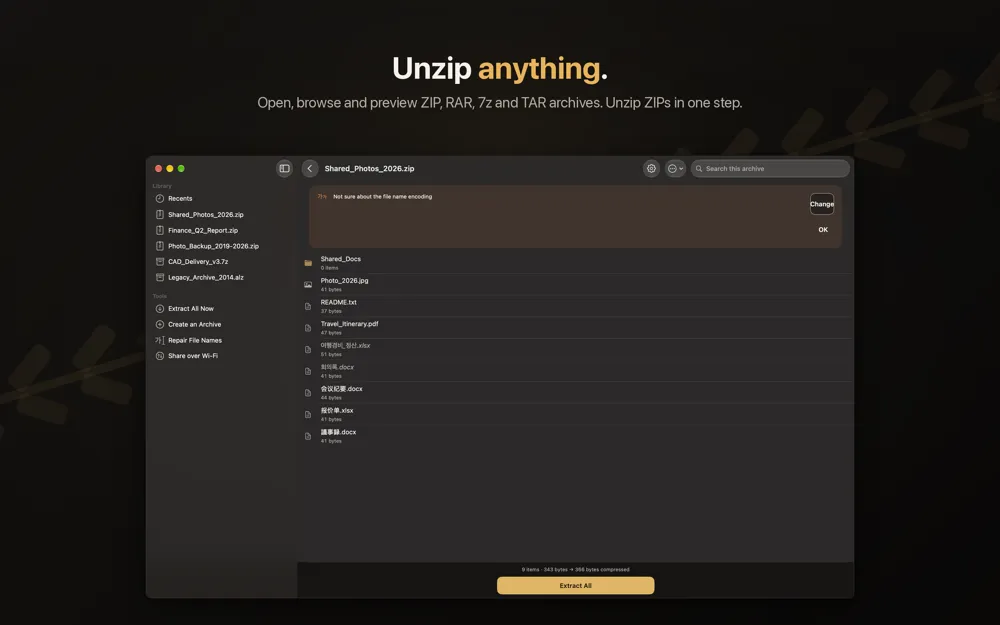
Zipda extracts RAR, 7z, LZH and ALZ as well as ZIP and the TAR family. Take out one file or extract everything to a folder you choose.
Zip64 archives past 4 GB and archives with tens of thousands of entries are streamed. Pick the first part of a split set and Zipda finds the rest.
Zipda is one App Store listing for all three. It runs on macOS 14 and iOS 16.1 or later.
Browse and preview what an archive holds. Then extract one file, or all of it, to the folder you pick.
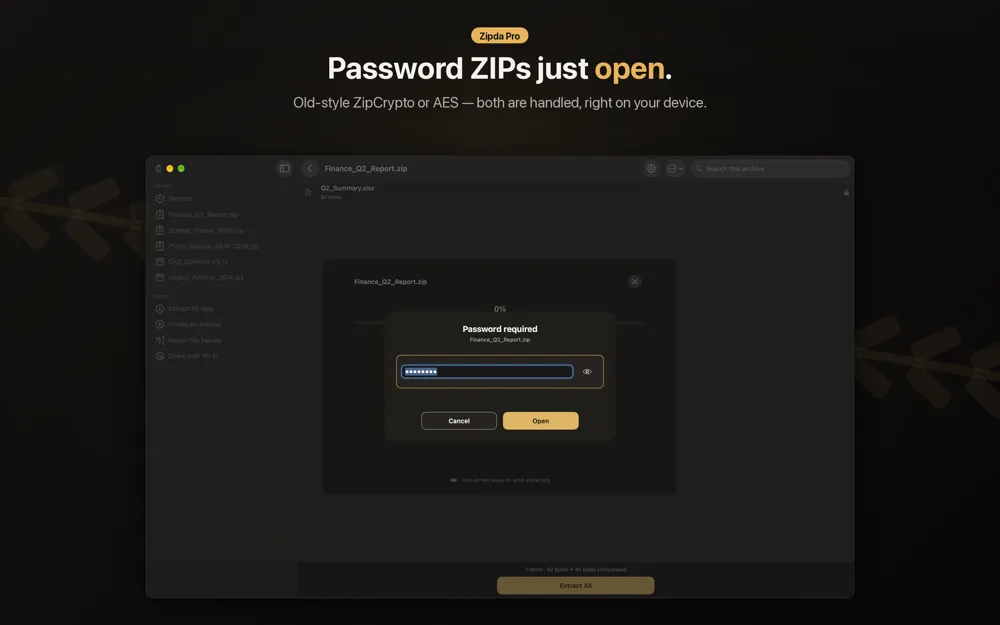
ZIPs protected with ZipCrypto or AES open once you enter the password. The check happens on your device.
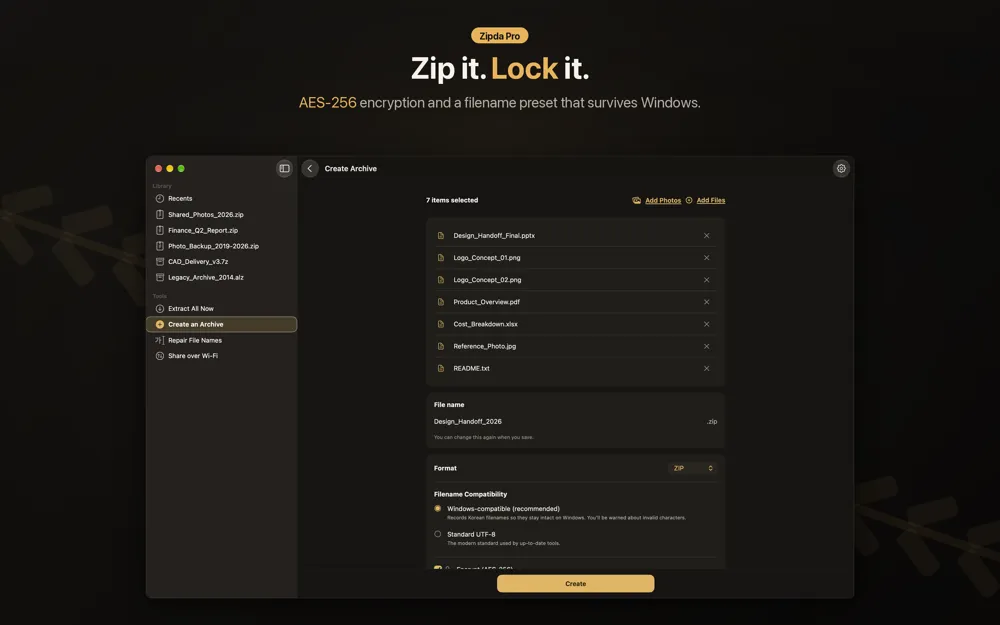
Select files, photos or videos and compress them into a ZIP, also from the share sheet on iPhone.
Open it in Zipda, look inside and extract what you need.
Get Zipda for iPhone, iPad and Mac.
Designed and built by Setlog, an independent developer of Mac and iPhone apps, with 10 apps on the App Store.Also from Setlog: RunVue, IntervalRunner, 급식로그
If you have ever searched for how to unzip a file on Mac, the built-in Archive Utility handles plain ZIP files well. The trouble starts with everything else. A RAR file from a download site, a 7z from a colleague, a ZIP made on Korean or Japanese Windows whose names turn into symbols, or a download that stopped halfway: these are the cases Zipda was built for. You can open any of those archives, look inside and preview what is there before extracting anything.
Everything runs on your own device. There is no account, no analytics and no advertising SDK, and the app makes no network requests of its own, so the files you unpack never leave your Mac or iPhone. Extraction streams large archives to storage instead of loading them into memory, which is how multi-gigabyte ZIP64 files and sets with tens of thousands of entries stay manageable.
Opening, browsing and previewing any archive, and everyday ZIP and TAR extraction, work without Pro. Extracting RAR, 7z, ALZ and LZH, split sets, password-protected archives and original CJK names is included in the optional Zipda Pro, which works the same way on iPhone, iPad and Mac.
Zipda extracts RAR, 7z, LZH and ALZ in addition to ZIP and the TAR family (.tar, .tar.gz, .tar.bz2, .tar.xz). You can browse and preview the contents of a RAR or 7z first and then pull out just the one file you need, or extract everything to a folder you choose. Extracting RAR, 7z, ALZ and LZH is a Pro feature.
Archives made on Windows often store names in a regional code page instead of Unicode, so they show up as text like the string ÇѱÛ.txt. Zipda works out the encoding on your device (CP949/EUC-KR, Shift_JIS, GB18030, Big5 and more), shows the most likely name and tells you which encoding it chose with a banner. One tap overrides it. If you already extracted a folder with mangled names, the Repair File Names tool shows a before-and-after preview and renames the whole folder without touching file contents.
A password-protected ZIP opens whether it uses the older ZipCrypto method or AES. Zipda asks for the password, and the check happens on your device. Opening password-protected archives is part of Pro.
Zip64 archives past 4 GB, sets split across several parts and archives with tens of thousands of entries are streamed rather than held in memory. For a split set, pick the first part and Zipda finds the rest. If a download was cut off or a sector is bad, Zipda extracts every entry it can still read and then lists exactly which ones it skipped and why. Cancel stops at once and cleans up half-written files.
Select files, photos or videos and compress them into a ZIP, including from the share sheet on iPhone. A Windows-compatible filename preset keeps non-English names intact for the person who opens the file on a PC, and ZIP can be encrypted with AES-256 as a Pro feature. Creating 7z, password-protected and split archives is part of Pro.
Install Zipda, then drag the RAR onto the app window (on iPhone, share it to Zipda from Mail or the Files app). You can browse and preview the contents first. Extracting a RAR archive is included in the optional Zipda Pro.
Double-clicking a ZIP uses the built-in Archive Utility. With Zipda you can also browse the archive, preview a single file, choose where the files go and unzip in one step, which helps when names are garbled or the archive is very large.
Yes. Zipda opens, browses and previews 7z archives, and extracting 7z is included in Zipda Pro.
The archive stored names in a regional code page instead of Unicode. Zipda detects the likely encoding on your device, and you can change it with one tap. For folders you already extracted, use the Repair File Names tool.
No. Zipda creates plain ZIP archives, and with Pro also AES-256 encrypted ZIP and 7z archives. For sending files to others, ZIP is the safest choice.
No. Everything is processed on your device. The app has no account, no analytics and no advertising SDKs.